Monitoring and incident response

Give Your Team a Signal Before the Next Support Call

Monitor reachable PBXs for conditions such as unregistered trunks, stopped services and resource pressure. Review the evidence behind an alert and move into the response workflow from the same workspace.

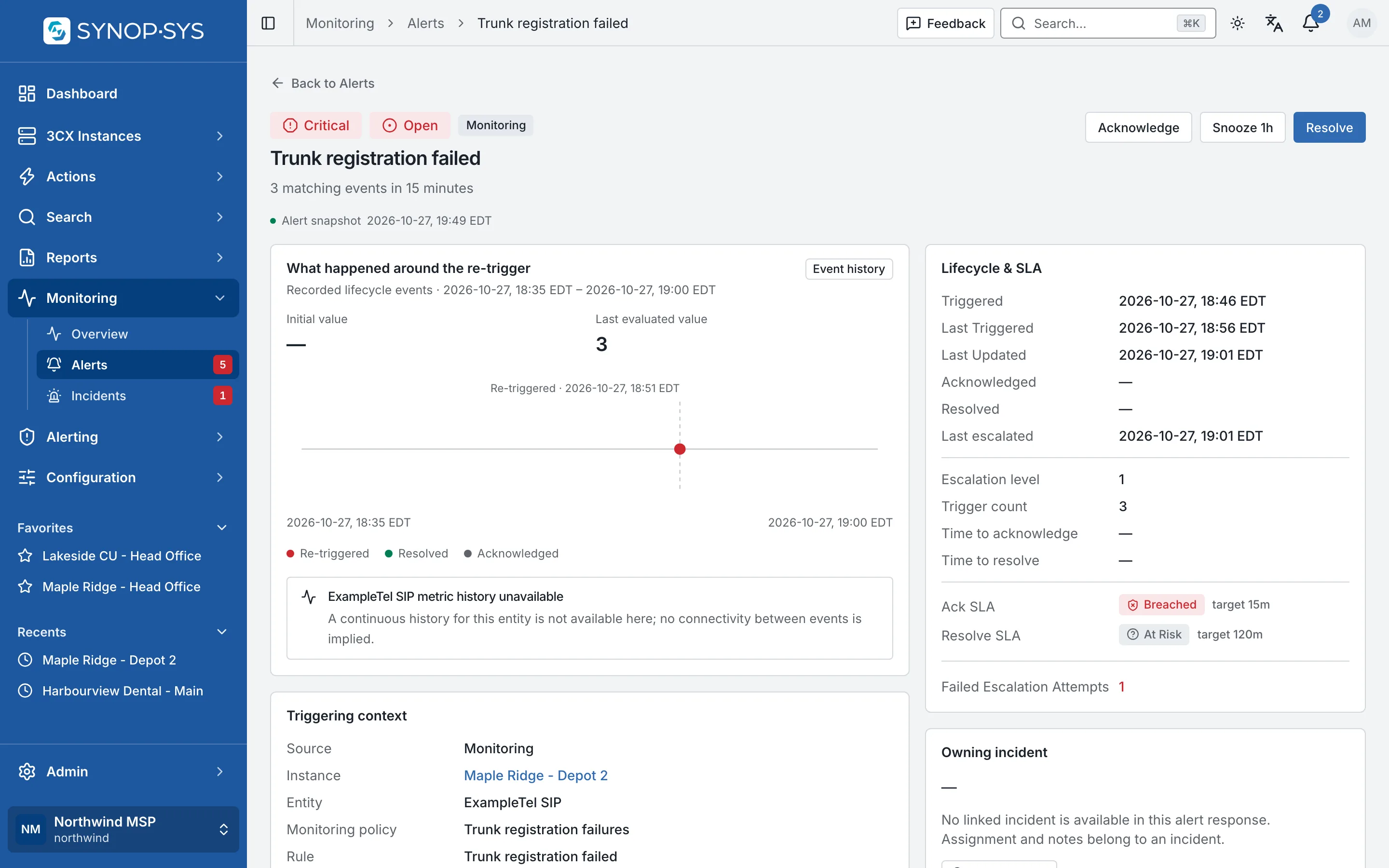
A critical alert: trunk registration failed three times in fifteen minutes on Maple Ridge - Depot 2. A critical alert: trunk registration failed three times in fifteen minutes on Maple Ridge - Depot 2.
A critical alert: trunk registration failed three times in fifteen minutes on Maple Ridge - Depot 2.Open full imageOpen full image

Investigate

Investigate the Condition Behind the Alert

Open the alert to review its instance, severity, evidence and history. Dashboards provide collected observations and historical context; missing or stale data remains part of the investigation rather than disappearing.

  • Lifecycle, escalation level, acknowledge and resolve SLAs
  • Evidence rows for stream rules (event log, audit log)
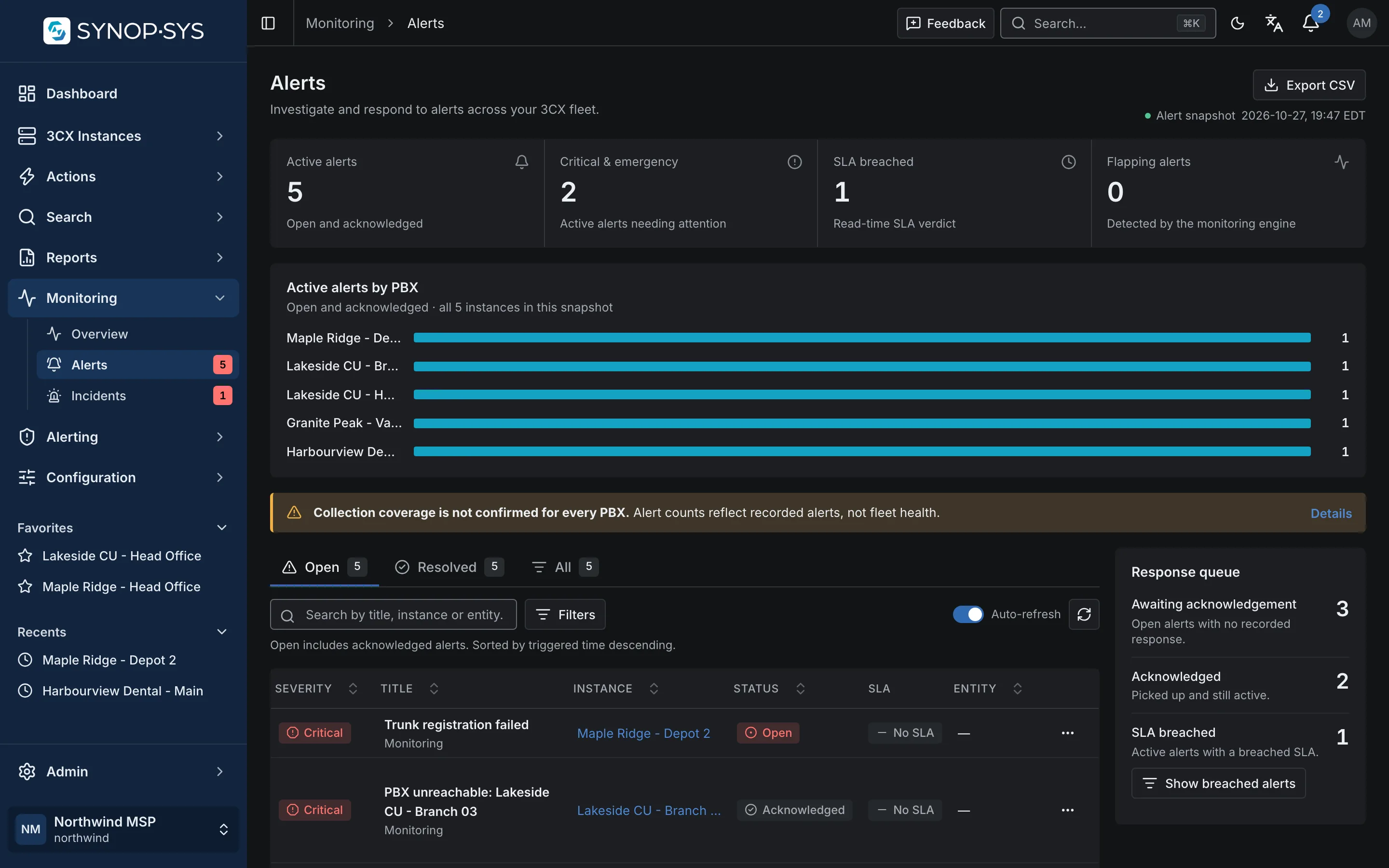
  • The alerts list with severity, status and the affected PBX
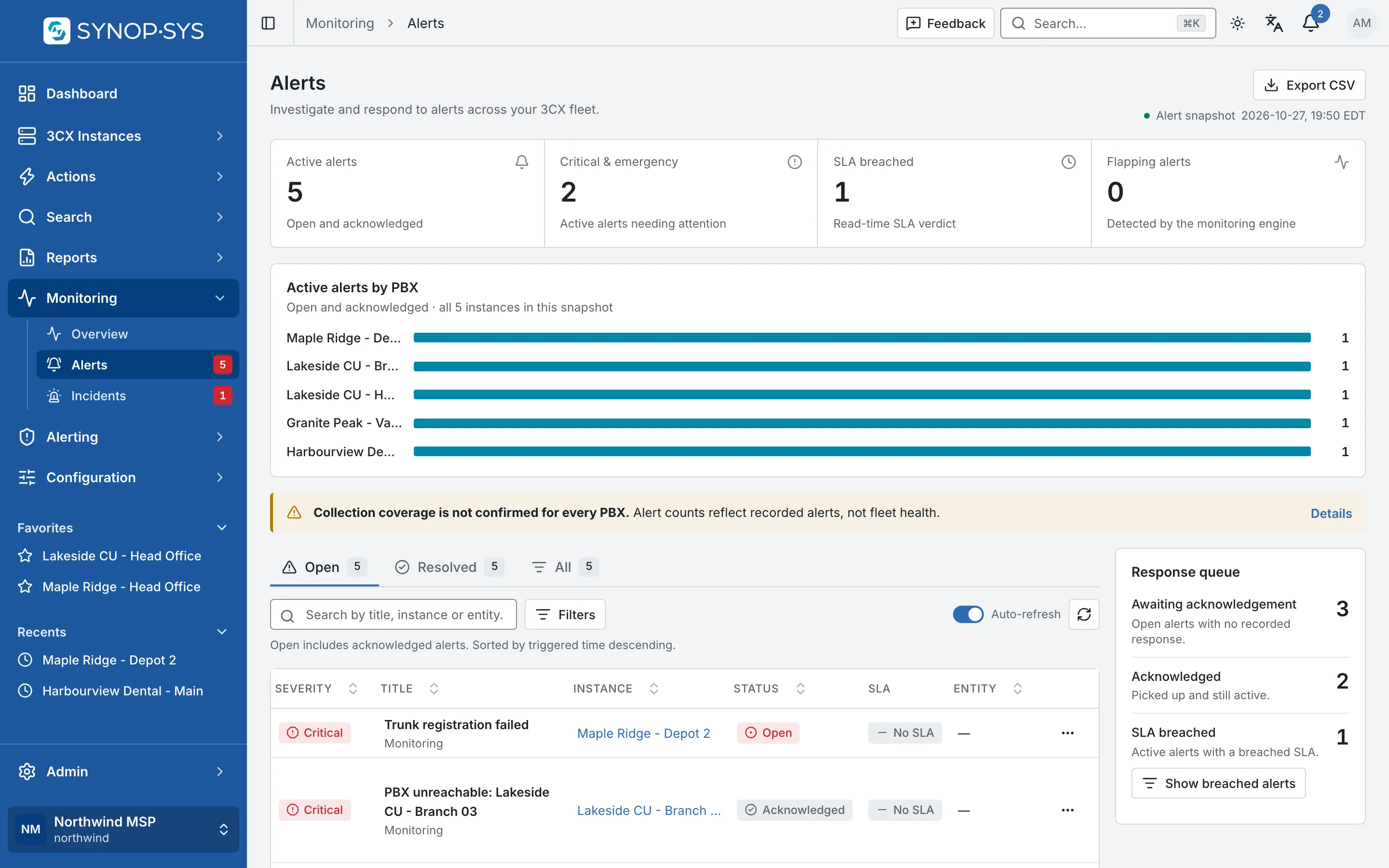
Five open alerts across five PBXs. Five open alerts across five PBXs.
Five open alerts across five PBXs.Open full imageOpen full image
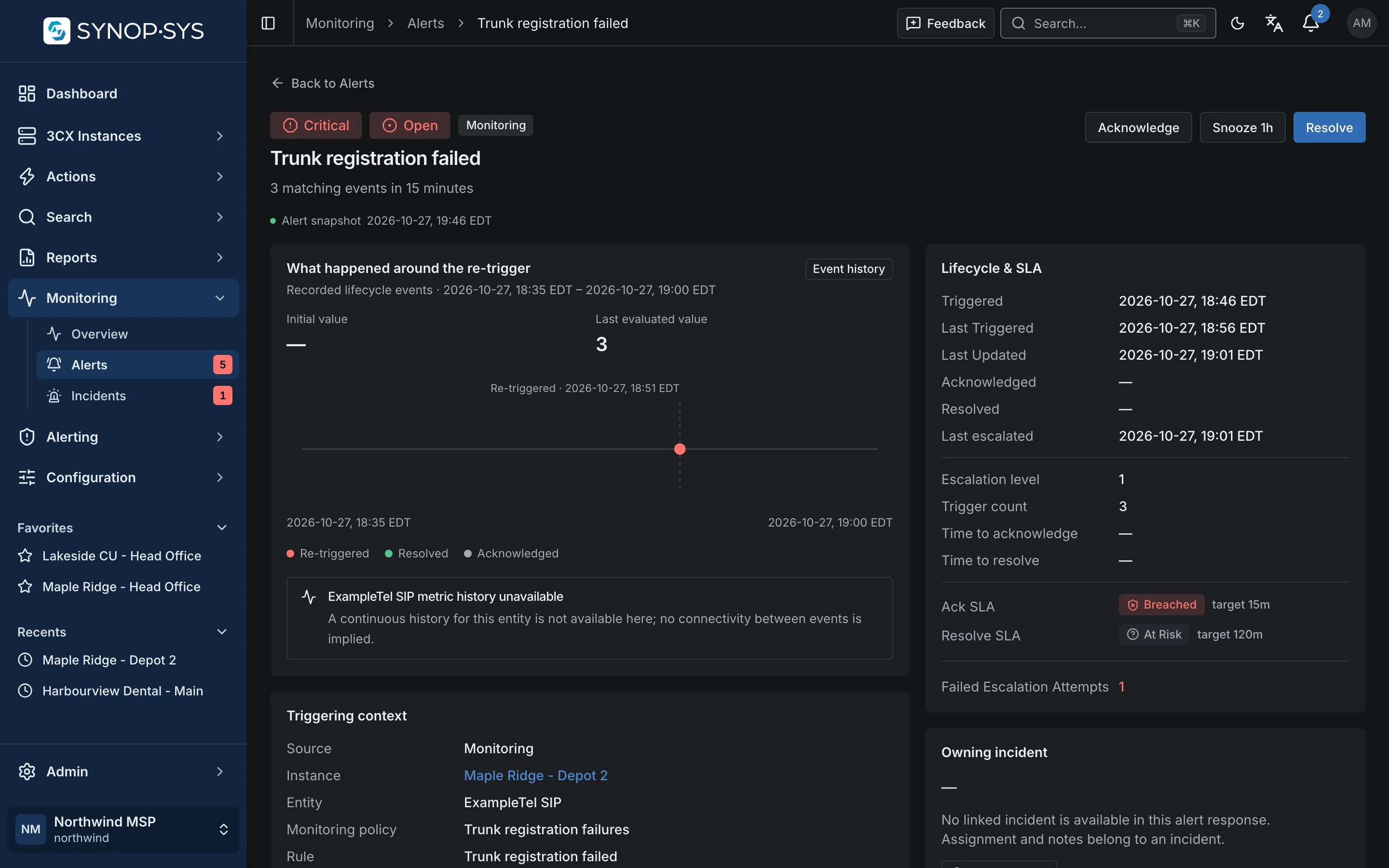
Alert detail with lifecycle and SLA. Alert detail with lifecycle and SLA.
Alert detail with lifecycle and SLA.Open full imageOpen full image

Incidents

Keep the Response in One Incident View

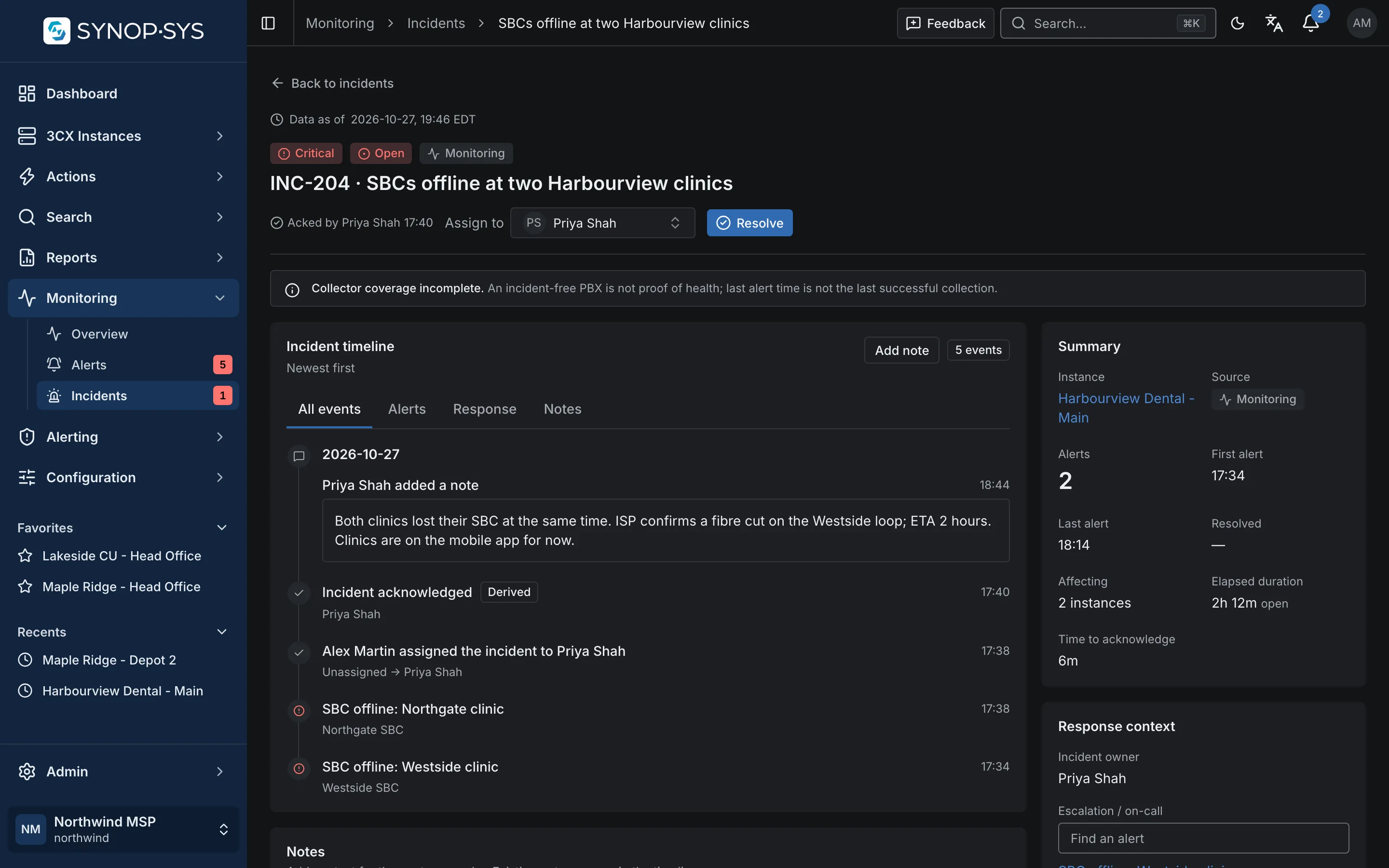
Incidents group related alerts and bring their timeline, owner and response context together. Grouping is a working view for the responder, not proof of a shared root cause.

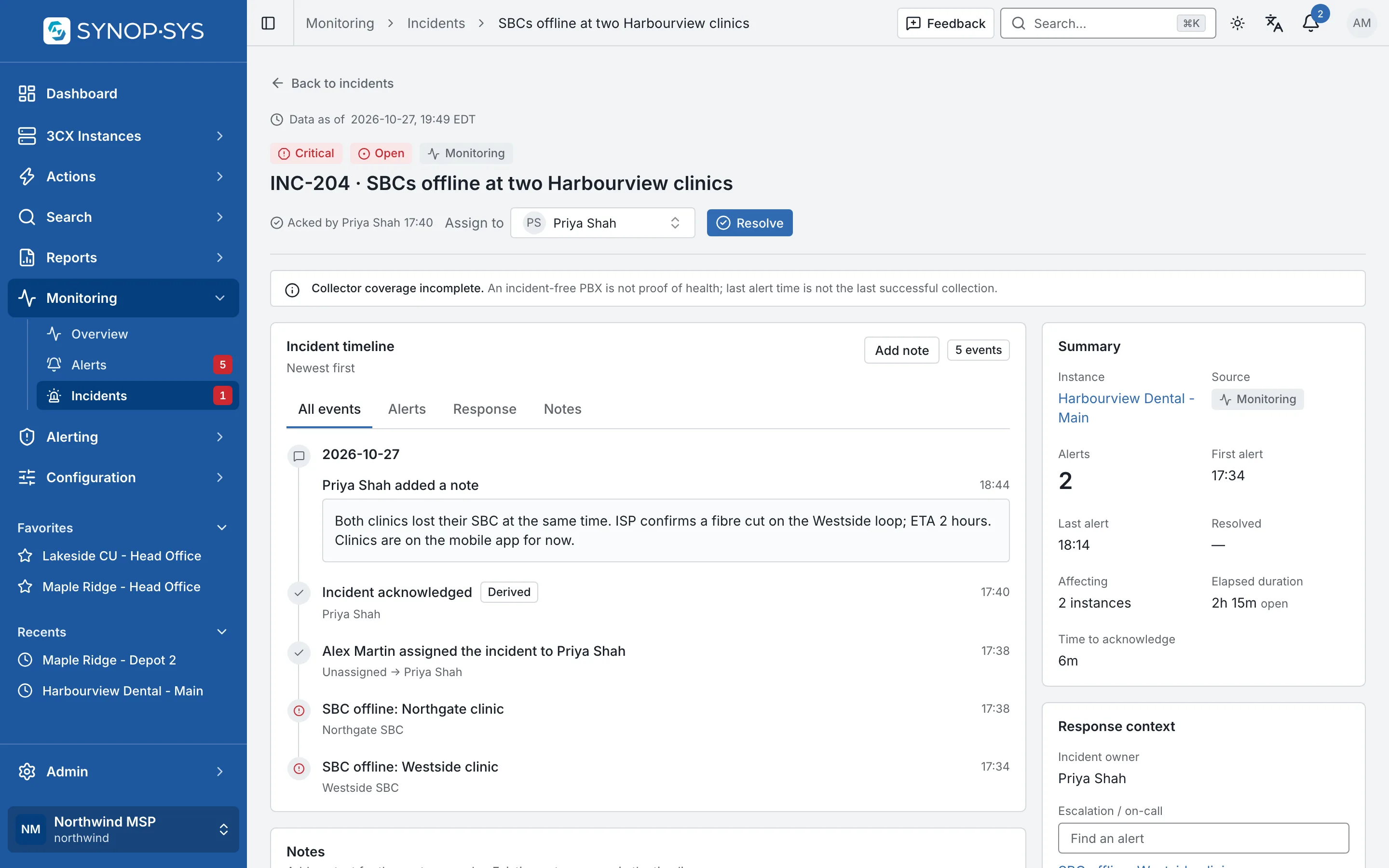
  • Acknowledge, assign and add notes
  • Timeline of alert and response events, newest first
  • Response context: escalation policy and who is on call now
INC-204: two SBC alerts grouped, acknowledged by the assignee, with a note about the fibre cut. INC-204: two SBC alerts grouped, acknowledged by the assignee, with a note about the fibre cut.
INC-204: two SBC alerts grouped, acknowledged by the assignee, with a note about the fibre cut.Open full imageOpen full image

Make the Next Responder Clear

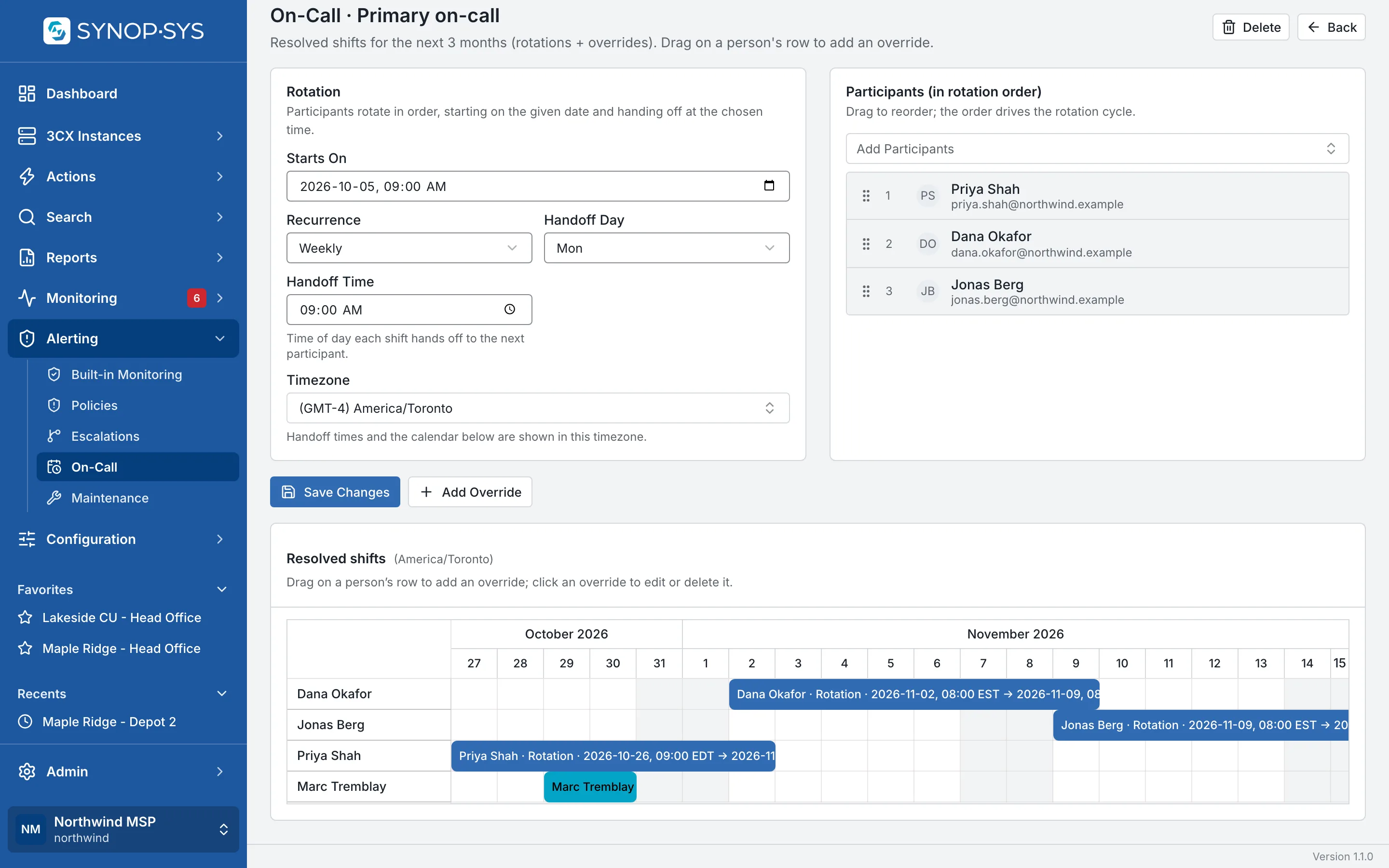
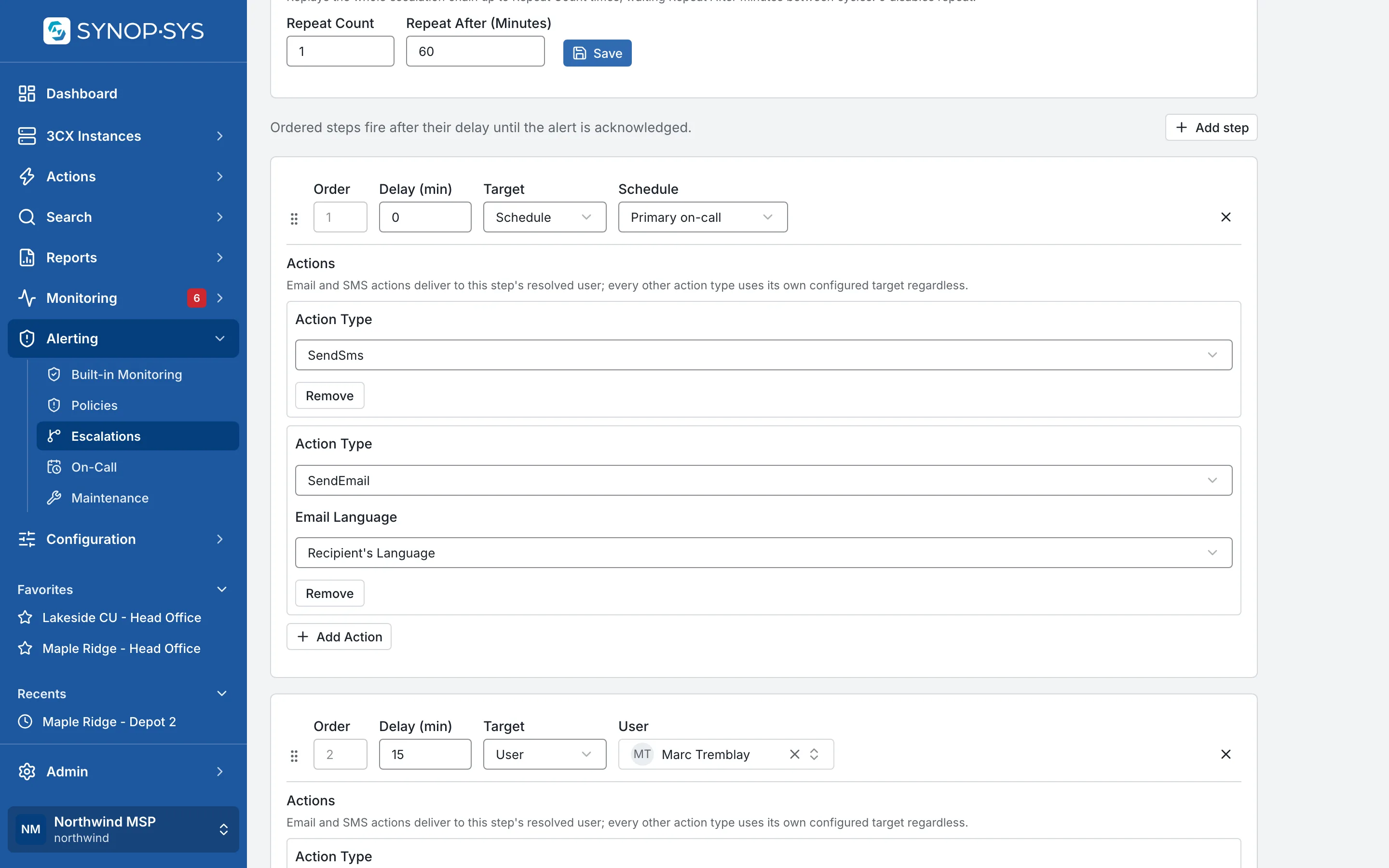
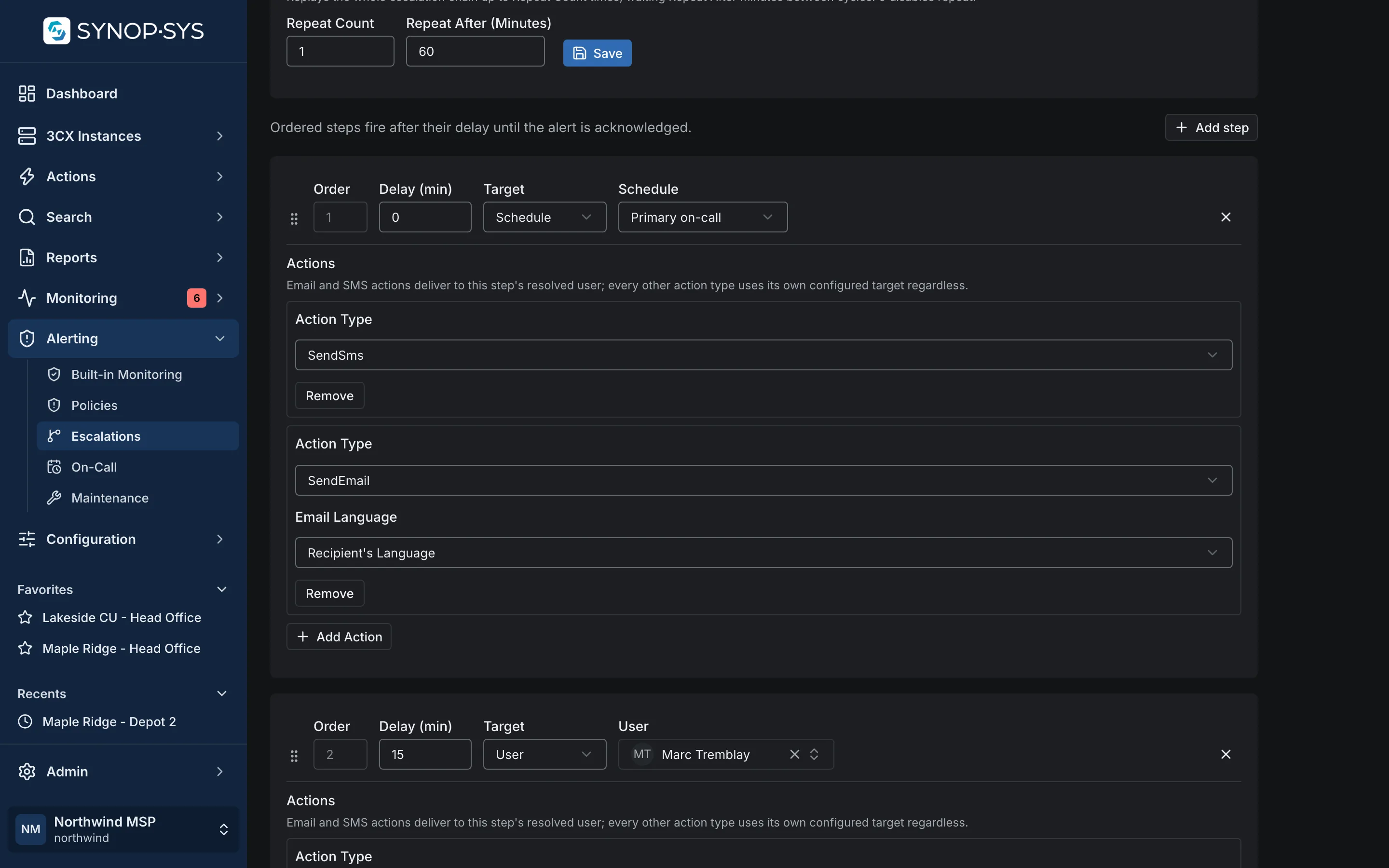
Build on-call rotations, add overrides and use escalation policies to define what happens when an alert remains unacknowledged. Review the schedule and the policy together so the intended responder is clear.

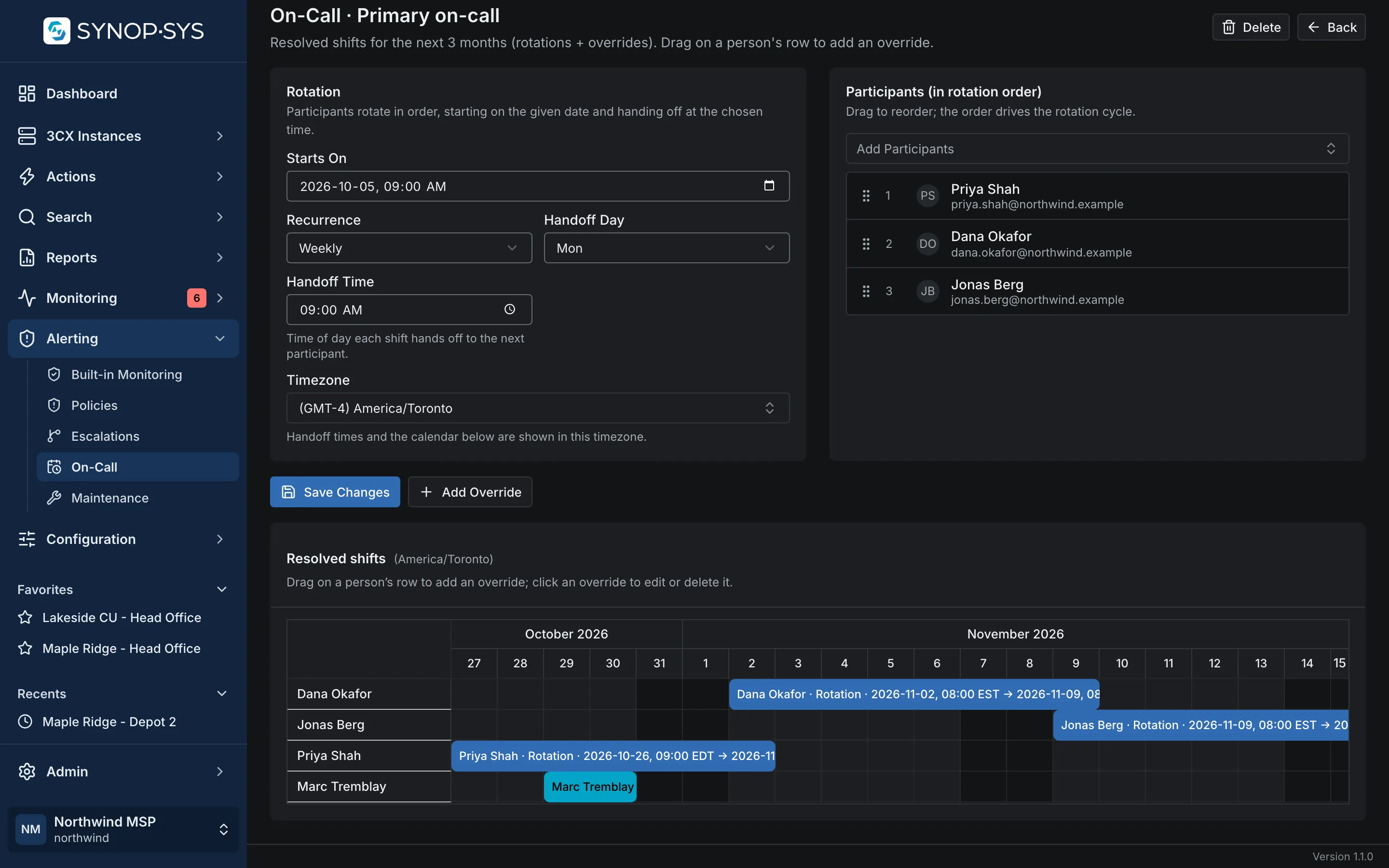
Primary on-call: a weekly rotation of three technicians and a one-day override, in America/Toronto. Primary on-call: a weekly rotation of three technicians and a one-day override, in America/Toronto.
Primary on-call: a weekly rotation of three technicians and a one-day override, in America/Toronto.Open full imageOpen full image
Escalation policy: the on-call schedule first, the service desk lead after 15 minutes, the owner after 30; the chain repeats once after an hour. Escalation policy: the on-call schedule first, the service desk lead after 15 minutes, the owner after 30; the chain repeats once after an hour.
Escalation policy: the on-call schedule first, the service desk lead after 15 minutes, the owner after 30; the chain repeats once after an hour.Open full imageOpen full image

Account for Planned Work

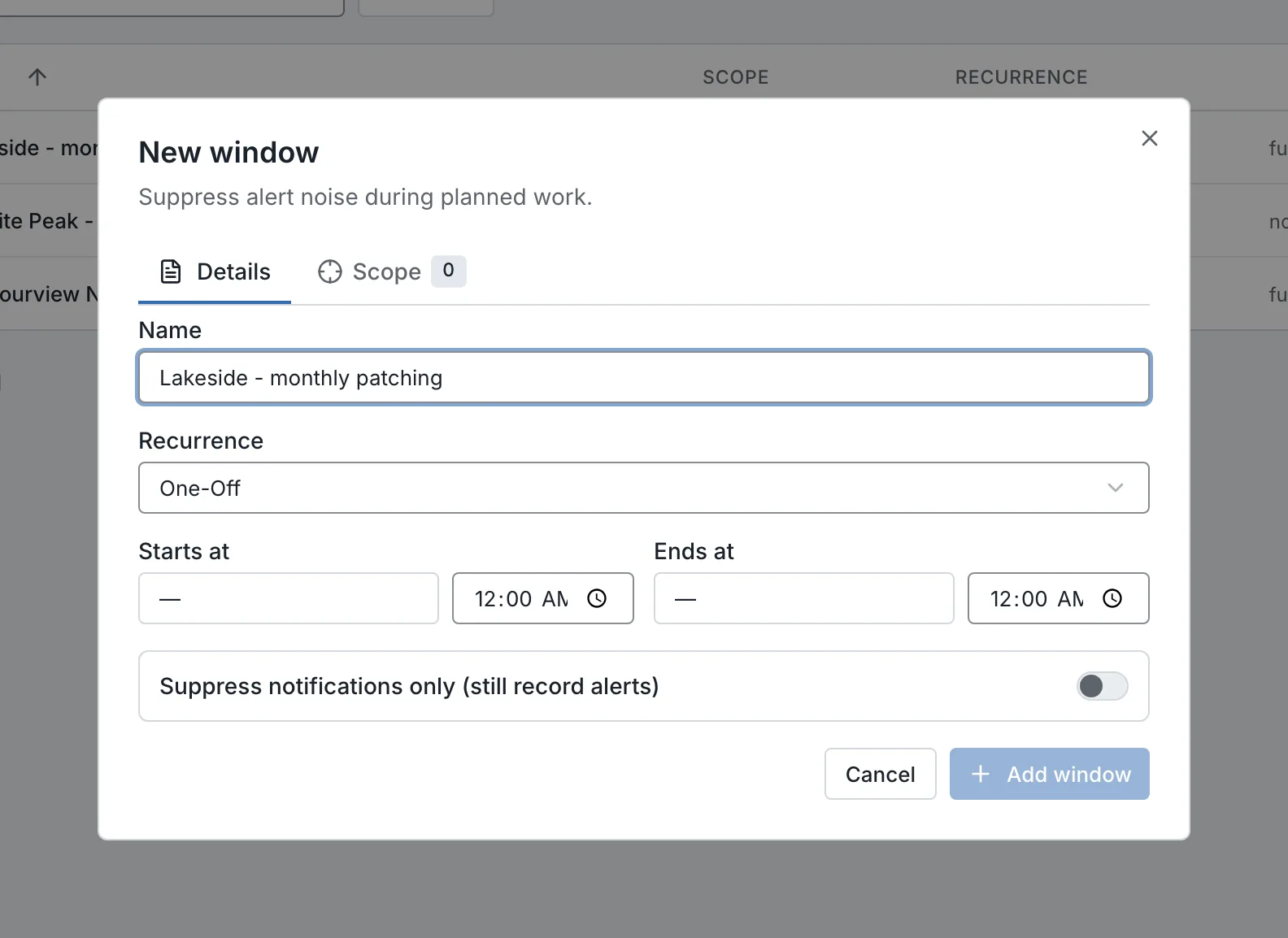
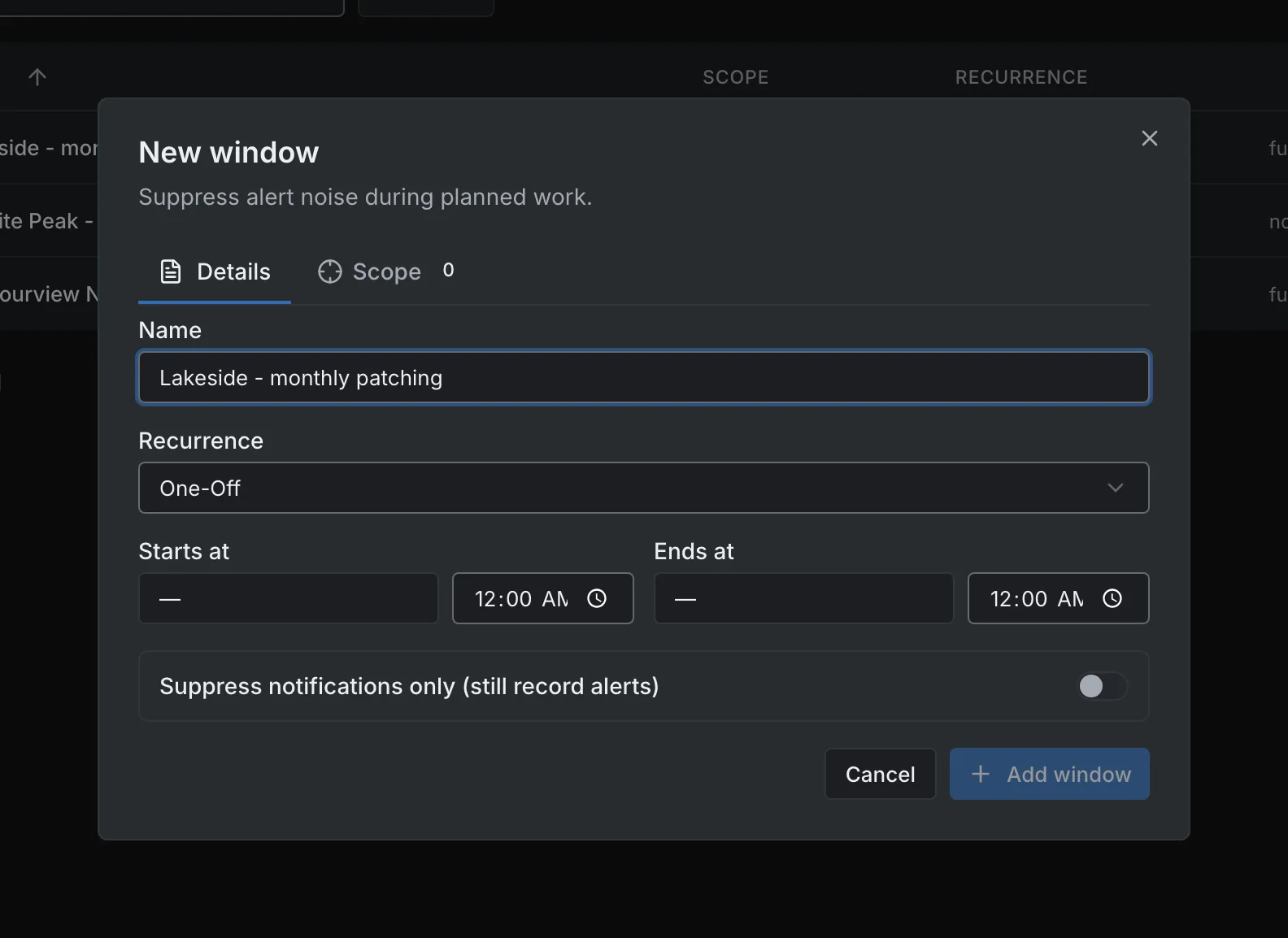
Configure maintenance windows for the relevant instances, groups or tags. Choose full suppression or notification-only behaviour according to how the planned work should affect alerting.

  • One-time, weekly, monthly or yearly windows; recurring windows follow a chosen time zone
  • A scheduled action can ignore windows, skip its run during one, or run only during one
  • The list shows which windows are open right now
A monthly patching window for one customer group: the 15th, 22:00 to 02:00, full suppression. A monthly patching window for one customer group: the 15th, 22:00 to 02:00, full suppression.
A monthly patching window for one customer group: the 15th, 22:00 to 02:00, full suppression.Open full imageOpen full image

Delivery

Send Alerts Into Your Team’s Tools

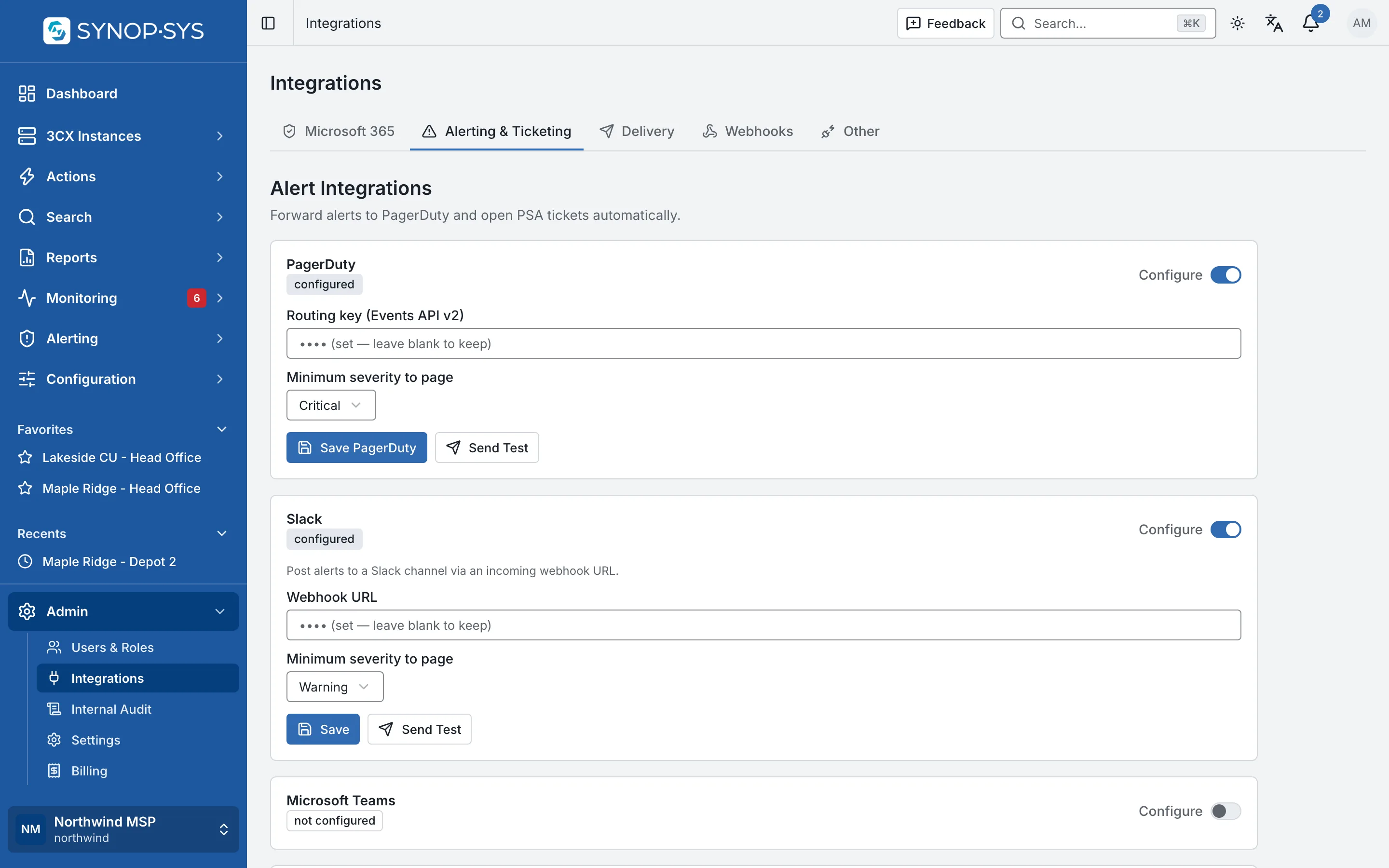
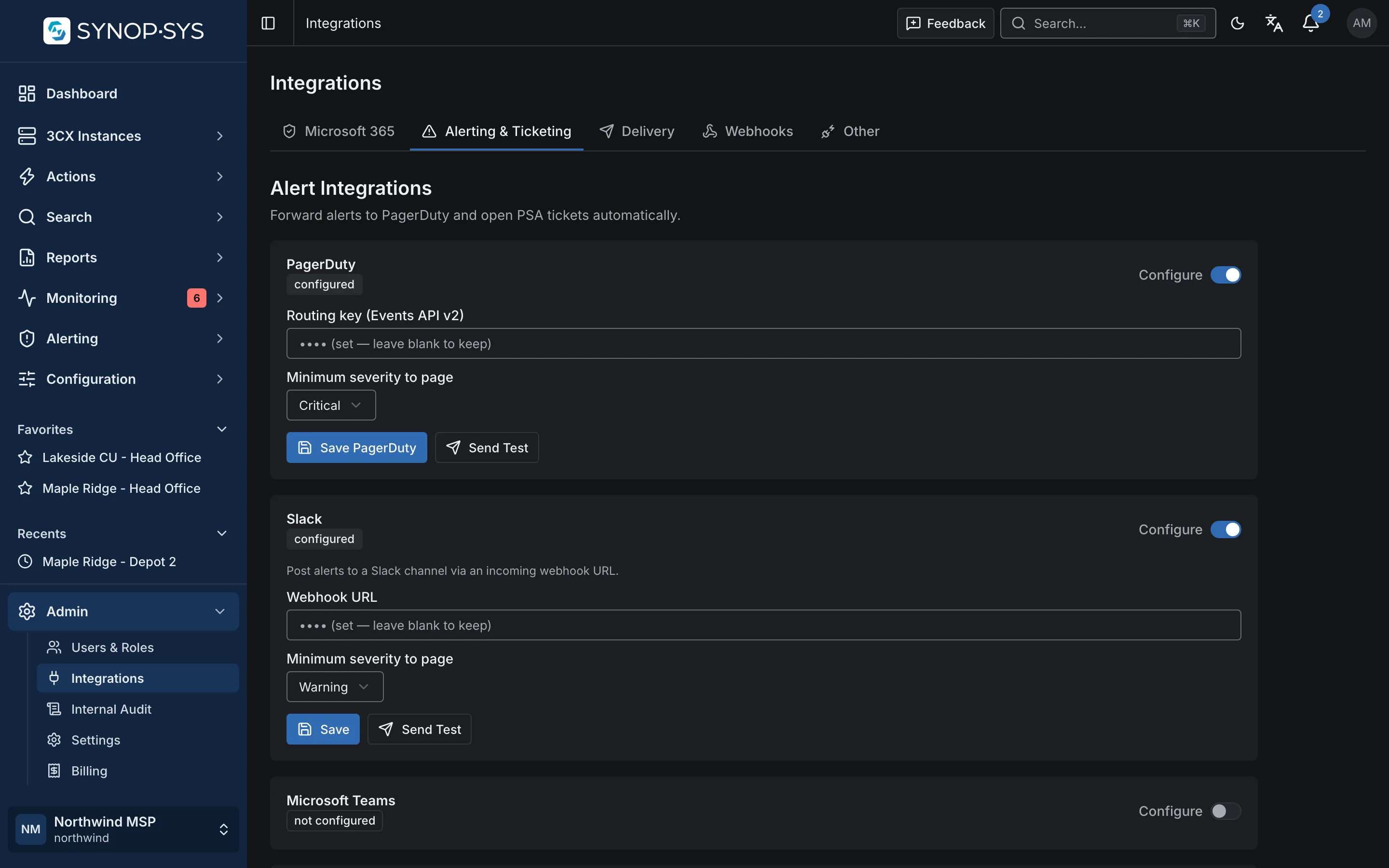
Deliver alerts by email, SMS, PagerDuty, Slack or Microsoft Teams, or into your PSA. ConnectWise, Autotask and HaloPSA can receive tickets, with acknowledgement and resolution transitions when those mappings are configured.

  • A minimum severity for PagerDuty, Slack and Microsoft Teams
  • Human channels render the alert text; machine channels carry the message key and arguments
  • Signed webhooks for anything else
Alerting and ticketing integrations for the workspace. Alerting and ticketing integrations for the workspace.
Alerting and ticketing integrations for the workspace.Open full imageOpen full image

Reports

Report What Was Actually Observed

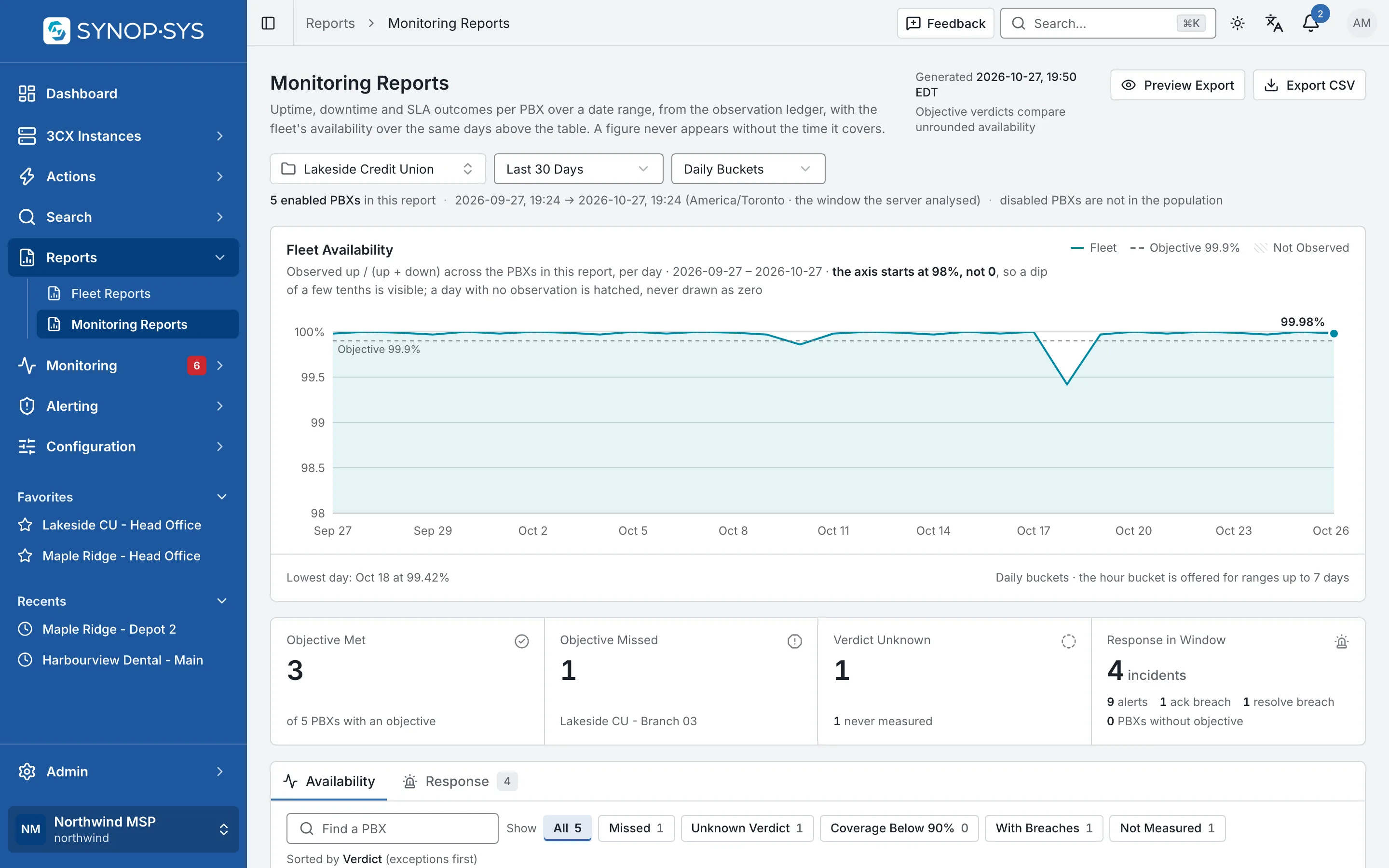
Review uptime, downtime, availability objectives and incident response measures over a selected period. Coverage and unknown verdicts help distinguish a measured result from a gap in observation.

  • Objective and verdict per PBX: met, missed or unknown
  • MTTA, MTTR and SLA breaches over the period
  • Export to CSV
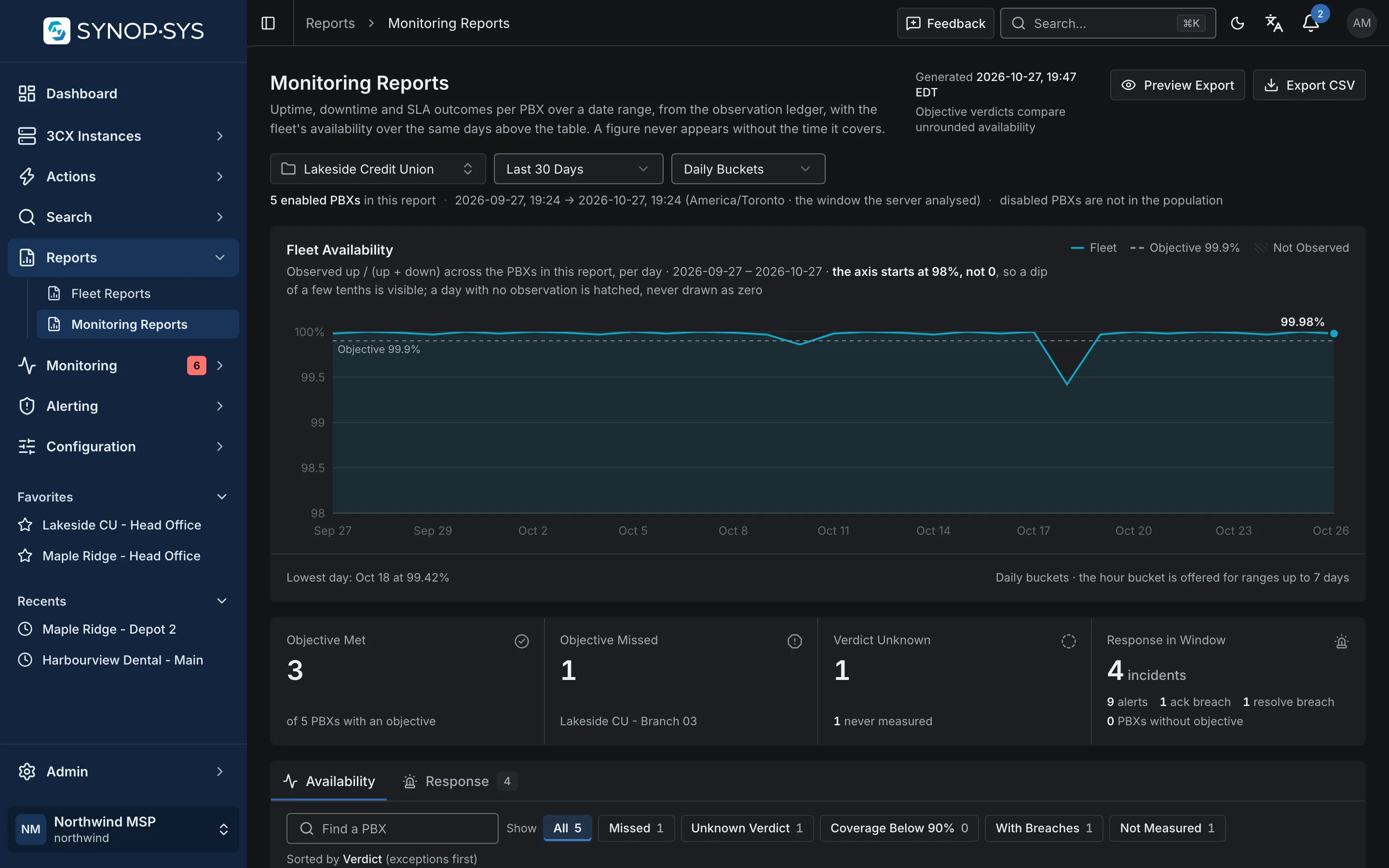
Monitoring Reports for one customer group over 30 days: the daily availability line against its 99.9% objective, then met, missed and one verdict unknown because nothing was measured. Monitoring Reports for one customer group over 30 days: the daily availability line against its 99.9% objective, then met, missed and one verdict unknown because nothing was measured.
Monitoring Reports for one customer group over 30 days: the daily availability line against its 99.9% objective, then met, missed and one verdict unknown because nothing was measured.Open full imageOpen full image
Plan dependency. Built-in alerts and incidents belong to PBX Management. Custom policies, on-call and escalation setup, maintenance windows, monitoring reports and alert-delivery integrations require the Monitoring module.

Who Gets Paged Tonight?

If the answer takes a moment, that is the workflow we would start with.