For multi-site IT teams

Keep Every Site Within Reach

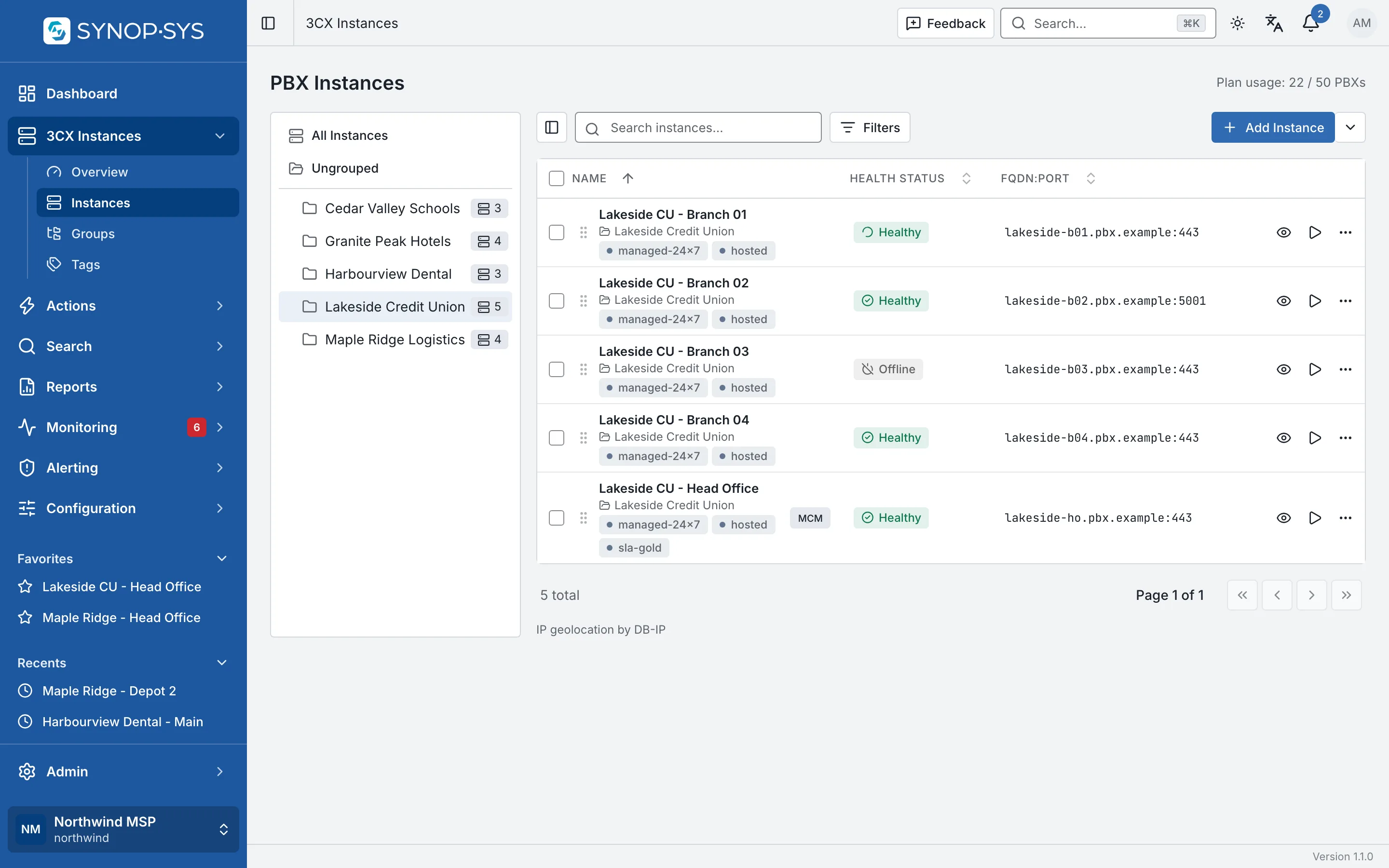
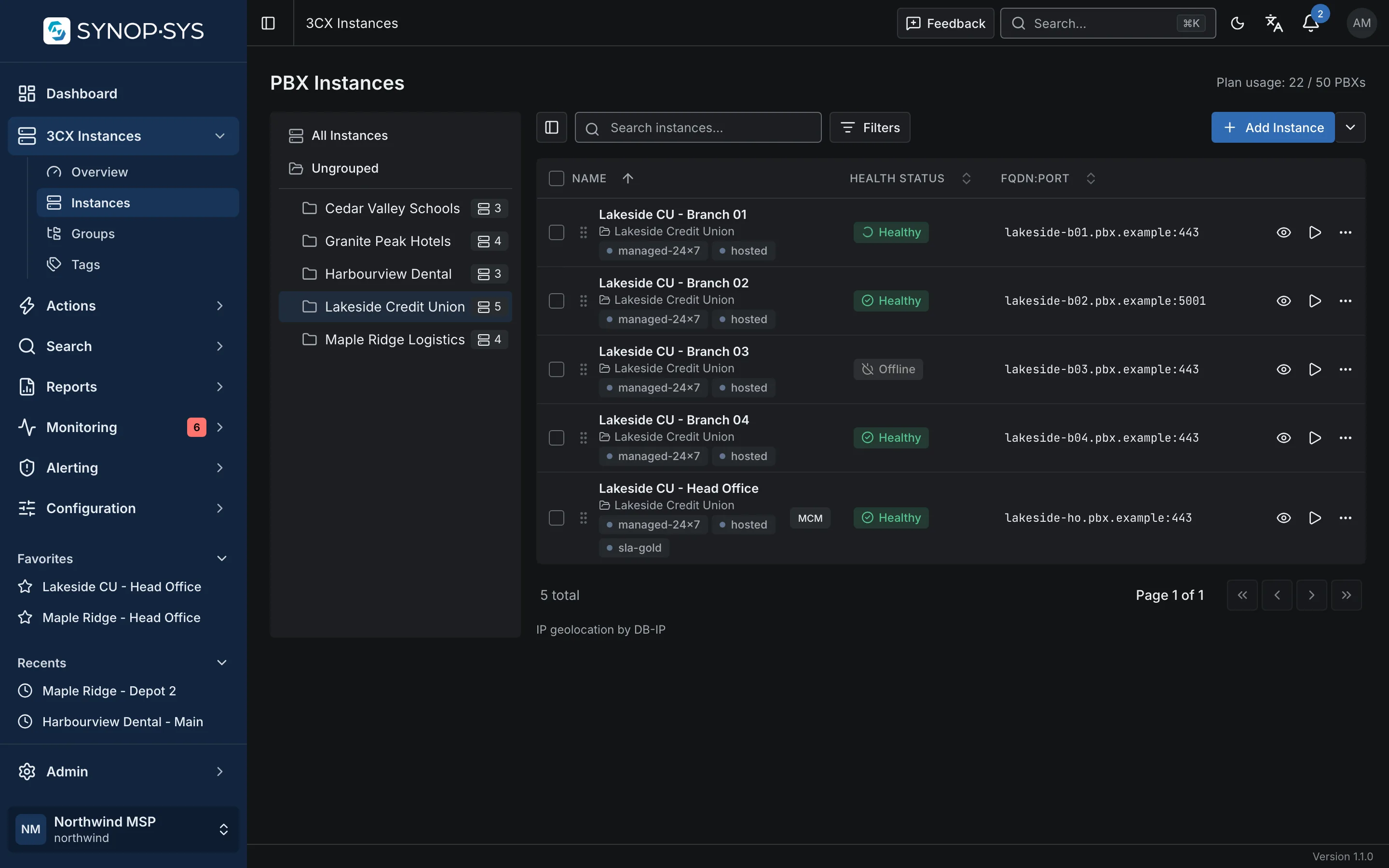
Bring the 3CX systems across your organisation into a shared inventory. Organise locations into groups, add the tags that matter to you and move from the fleet view to a site’s live configuration in one click.

Sites grouped by region or business unit; tags such as hosted and on-prem cut across the groups. Sites grouped by region or business unit; tags such as hosted and on-prem cut across the groups.
Sites grouped by region or business unit; tags such as hosted and on-prem cut across the groups.Open full imageOpen full image

Standards

Apply a Standard Without Rebuilding It at Every Site

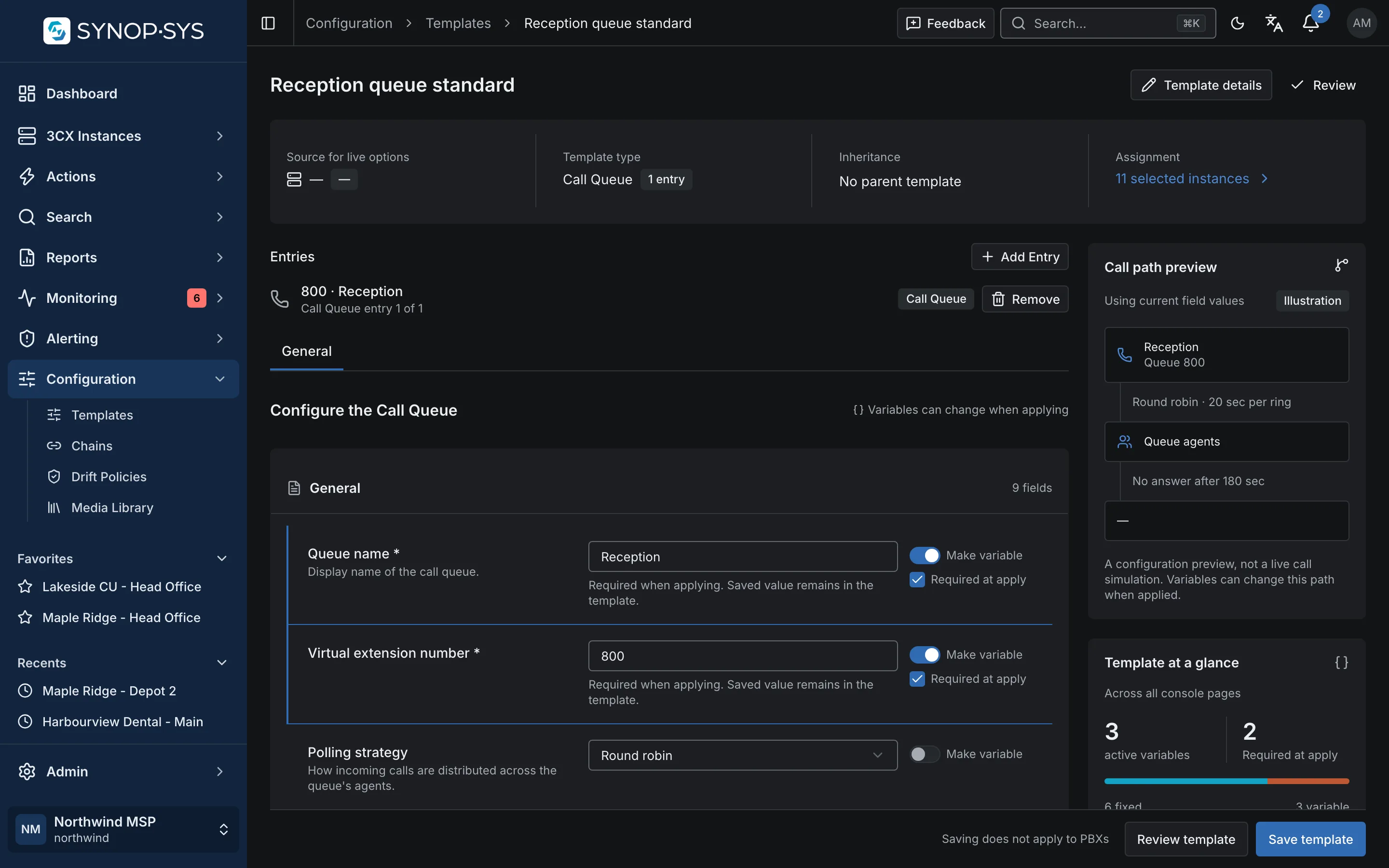
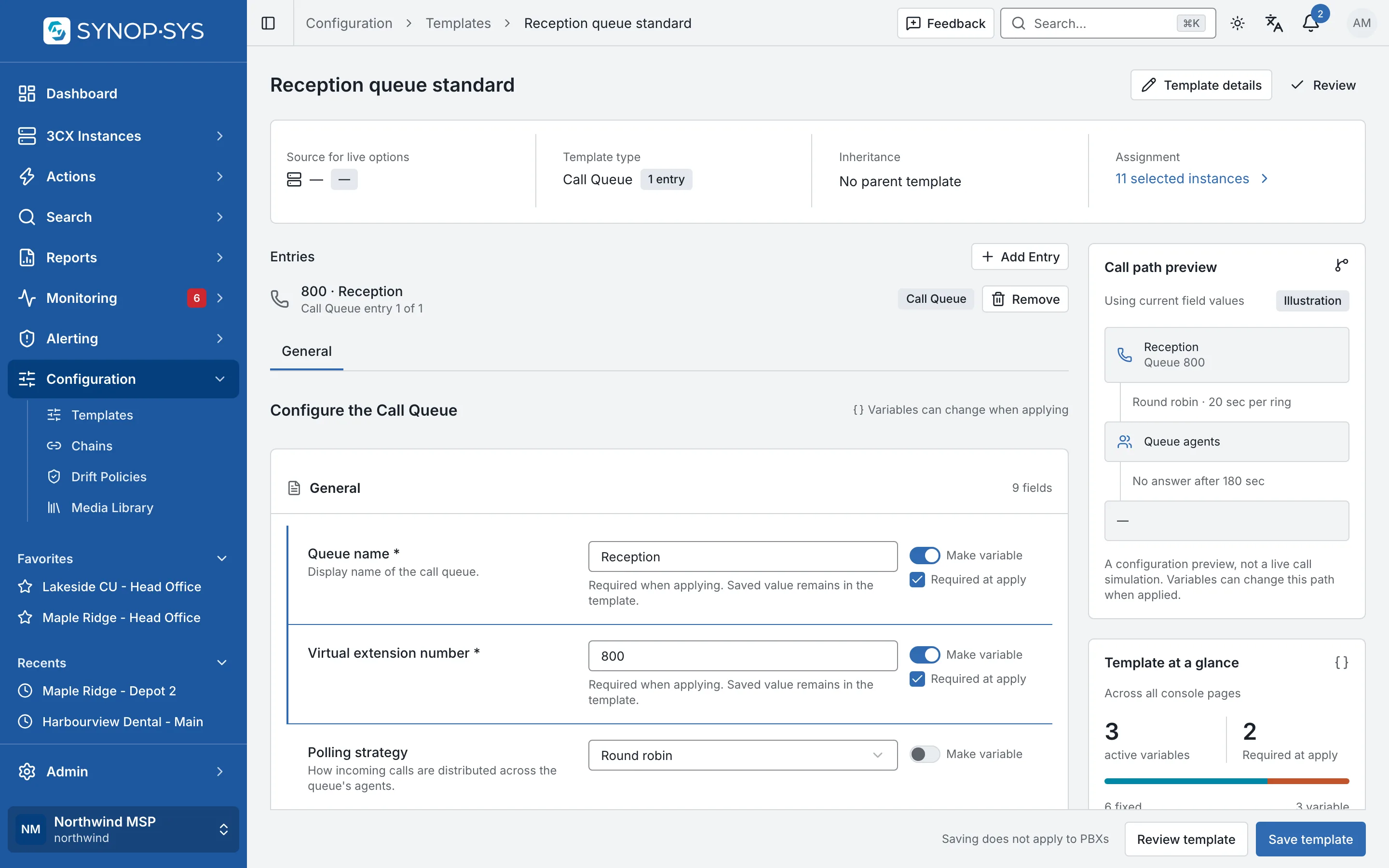
Create templates for the configuration SYNOP•SYS supports and use variables for the values that change between sites. Apply the standard deliberately, then use drift policies to check the fields it manages.

  • Capture from a live PBX or author directly
  • Apply to instances, groups or tags with per-instance results
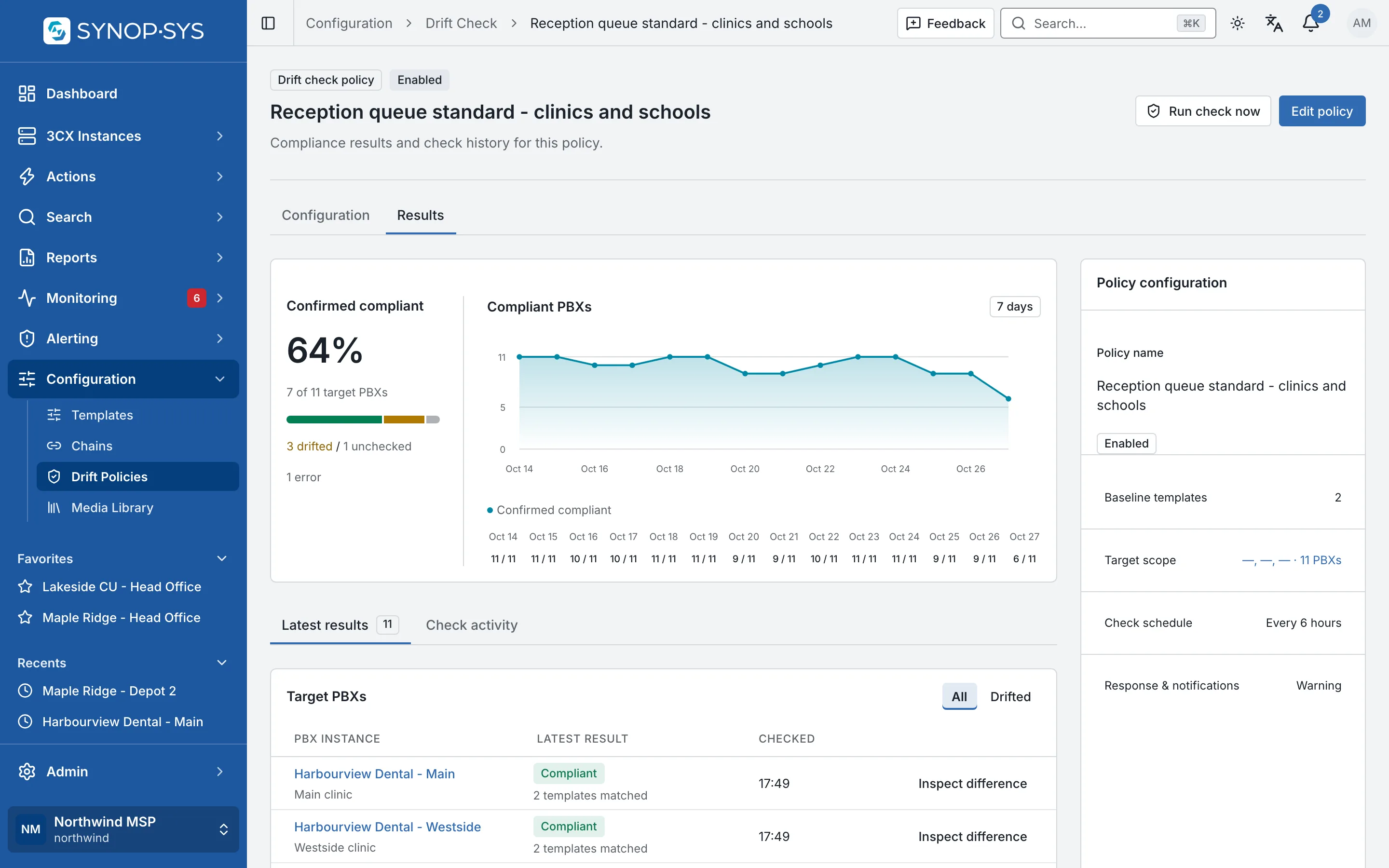
  • Scheduled drift checks compare expected against observed
Explore configuration standards

A queue template with managed fields and three variables. A queue template with managed fields and three variables.
A queue template with managed fields and three variables.Open full imageOpen full image
Compliance over fourteen days for the eleven sites the policy covers. Compliance over fourteen days for the eleven sites the policy covers.
Compliance over fourteen days for the eleven sites the policy covers.Open full imageOpen full image

Planned maintenance

Plan Maintenance Across Locations

Target selected sites, groups or tags and schedule supported actions in a chosen time zone. Use ordered stages, rolling batches and maintenance-window rules to control how the work runs.

  • Recurrence: hourly, daily, monthly or yearly, with an explicit time zone
  • Rolling batches with a delay between them
  • Later stages wait for the earlier stage and stop after a failure

See scheduled actions

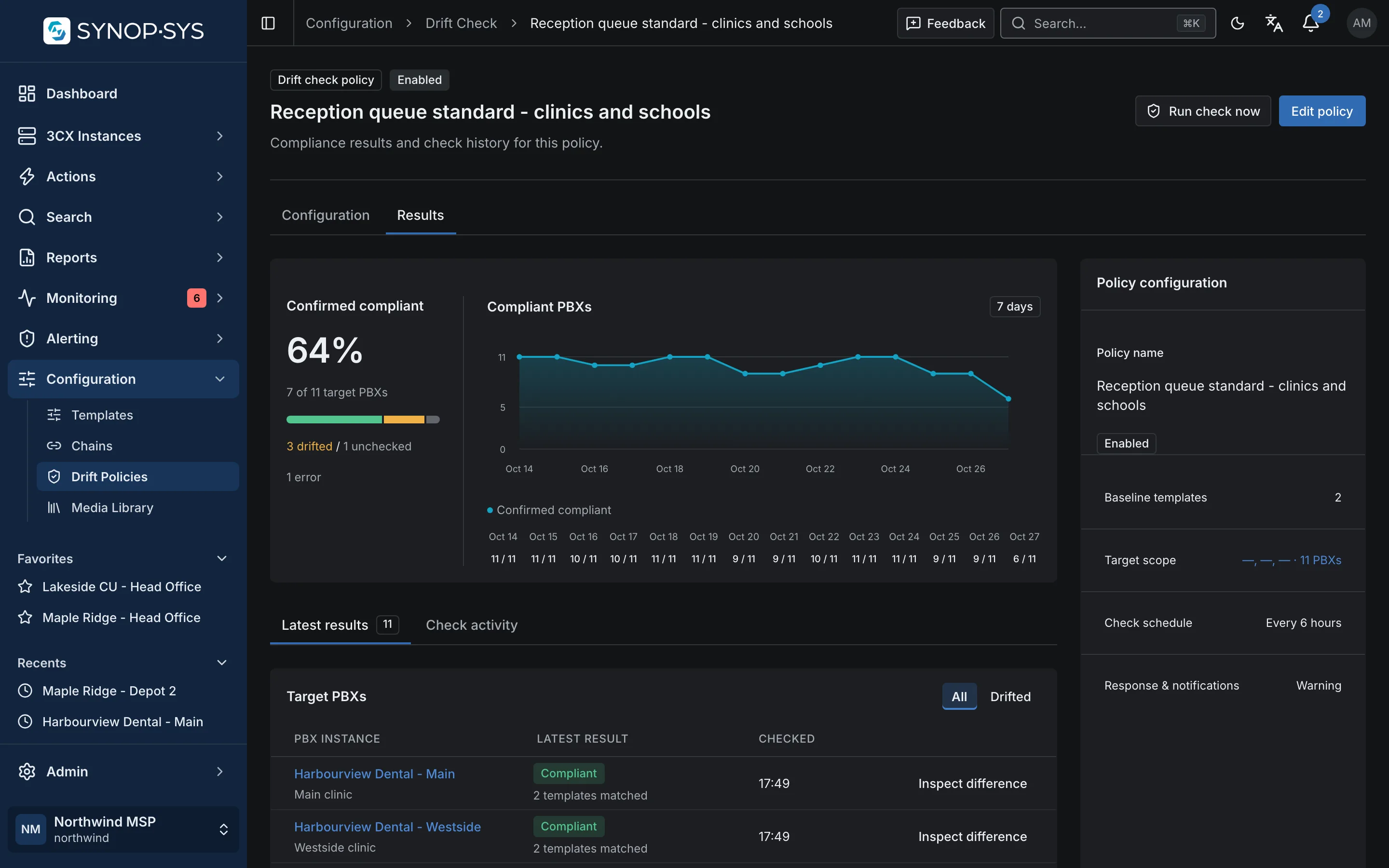
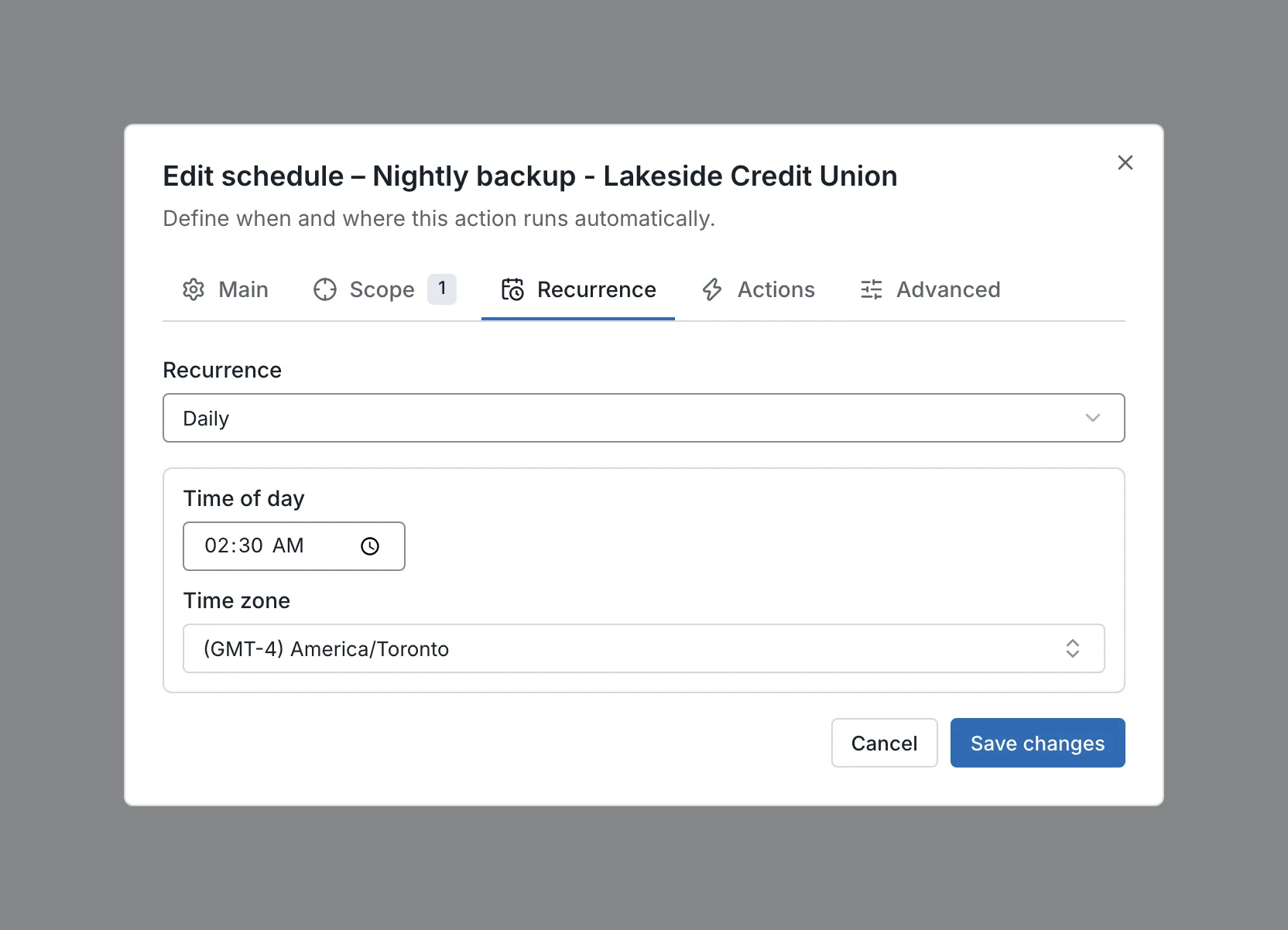
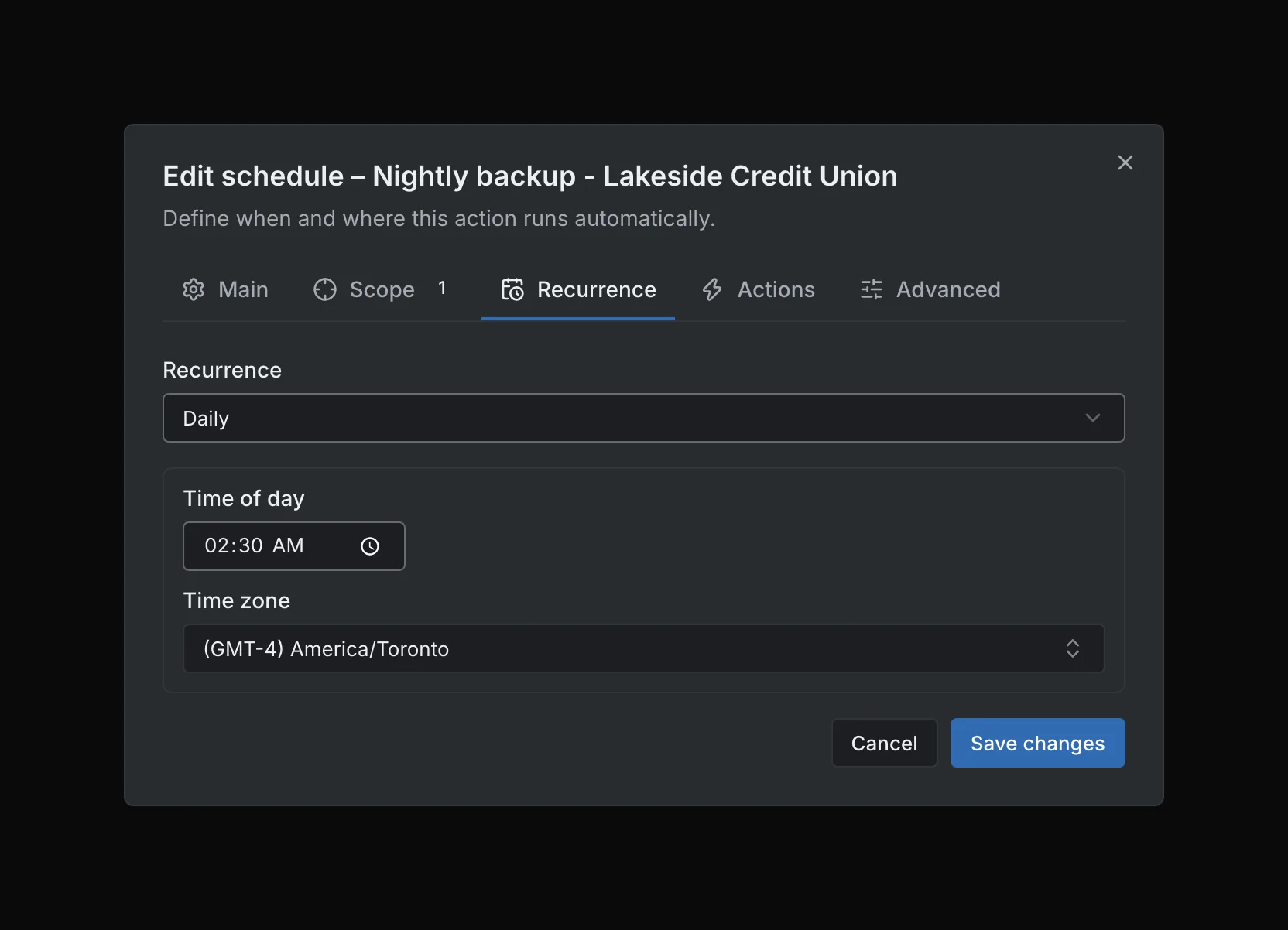
Recurrence tab: daily at 02:30, America/Toronto. Recurrence tab: daily at 02:30, America/Toronto.
Recurrence tab: daily at 02:30, America/Toronto.Open full imageOpen full image
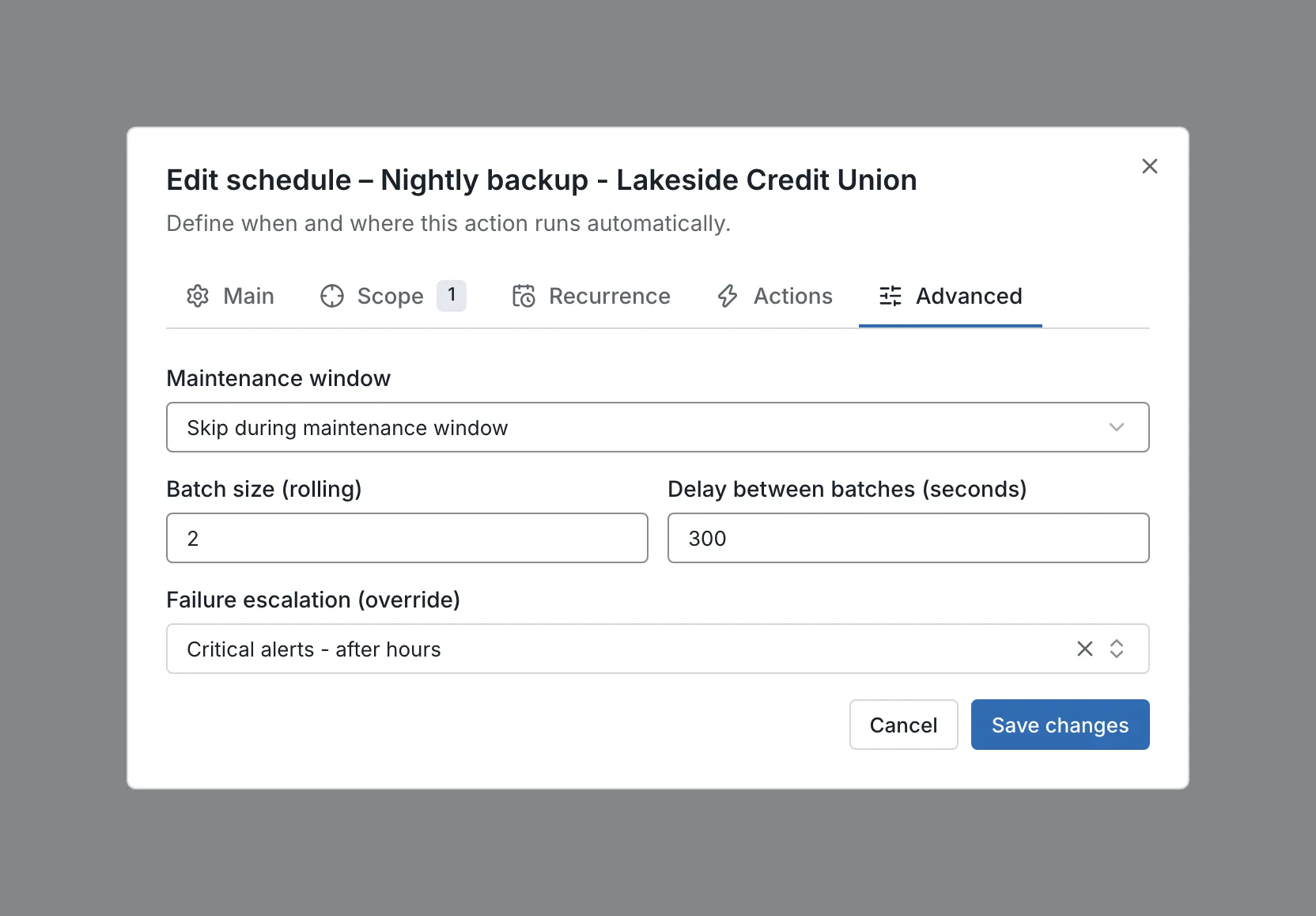
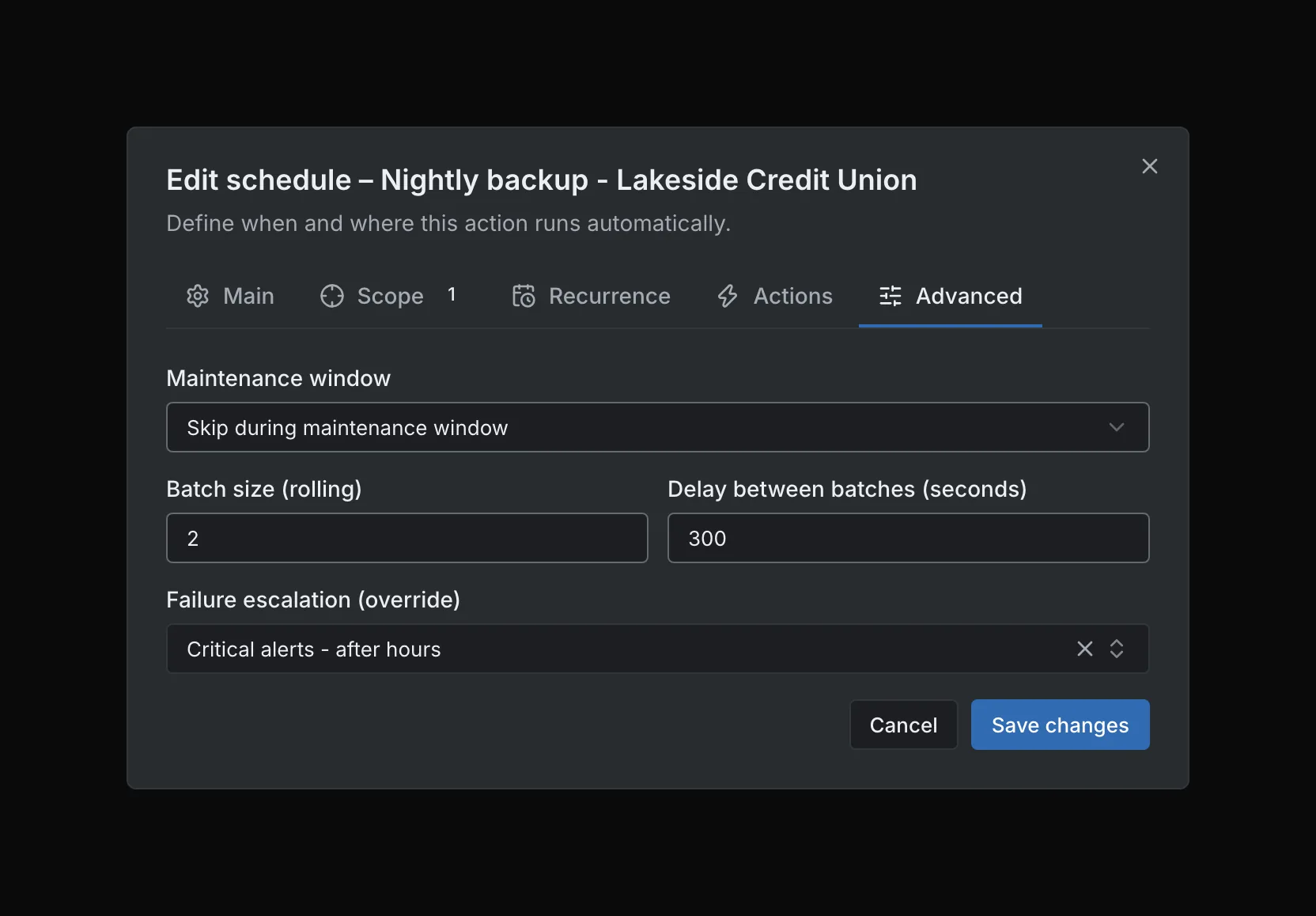
Advanced tab: rolling batches of two with a five-minute delay; skip when a maintenance window is open. Advanced tab: rolling batches of two with a five-minute delay; skip when a maintenance window is open.
Advanced tab: rolling batches of two with a five-minute delay; skip when a maintenance window is open.Open full imageOpen full image

Local responsibility, central visibility

Keep Local Responsibility and Central Visibility

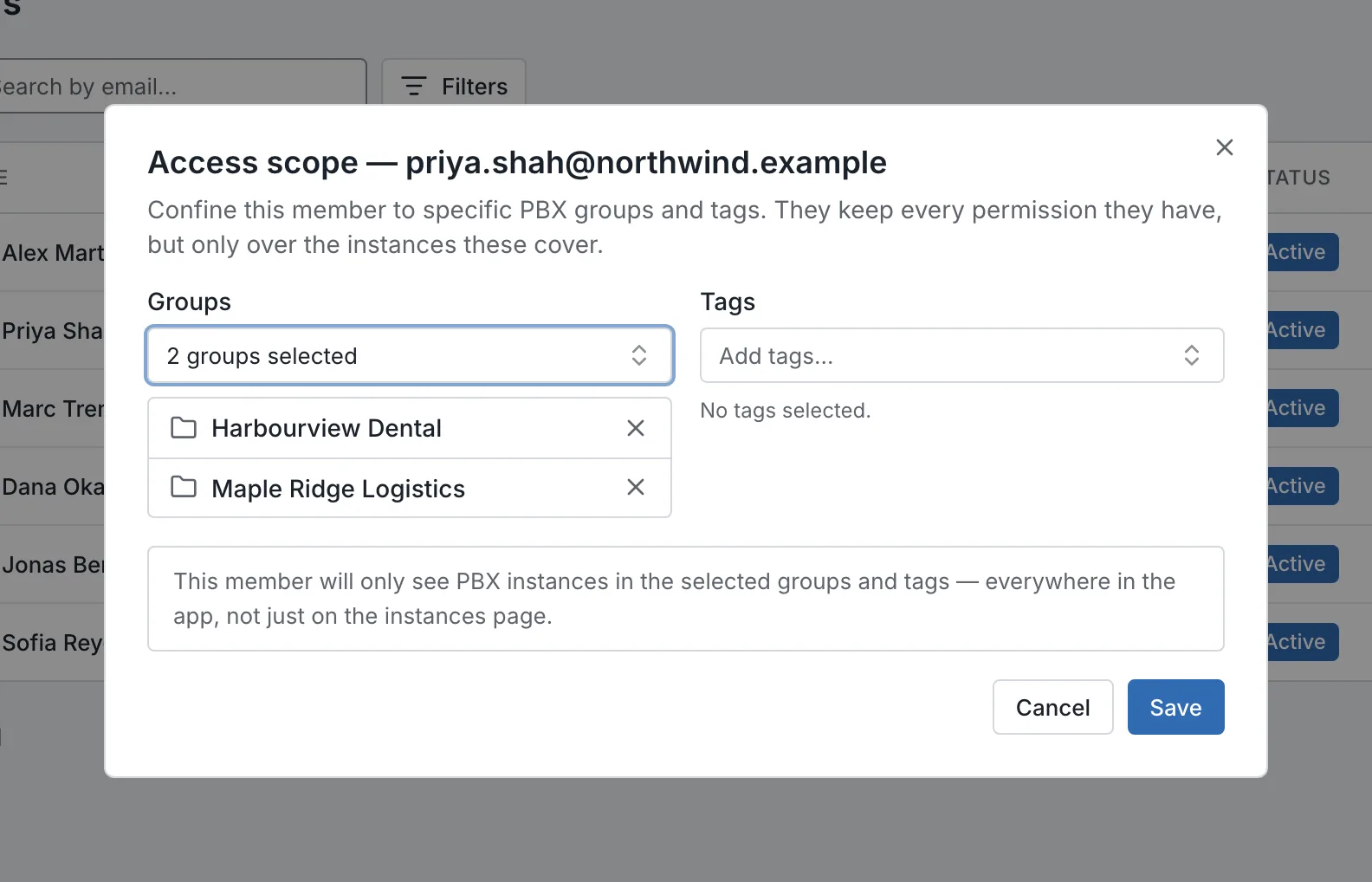
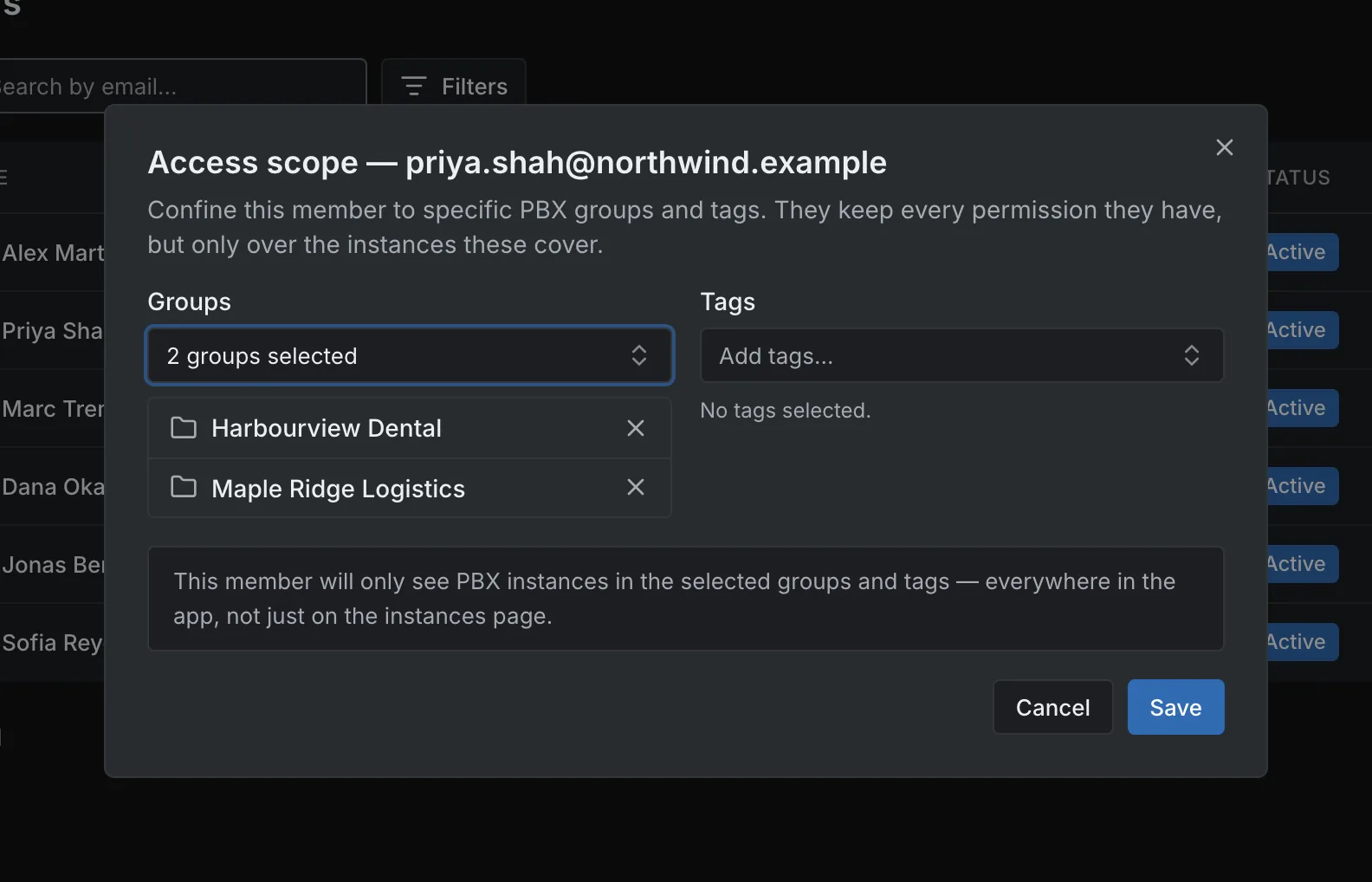
Limit a team member to the PBX groups or tags they support while keeping the permissions their role needs. Use fleet reports to review versions, backup observations and capacity across the sites you manage.

  • Access scope by group or tag
  • Versions and update settings per site
  • Backup observations and capacity against the licence

Explore security and access

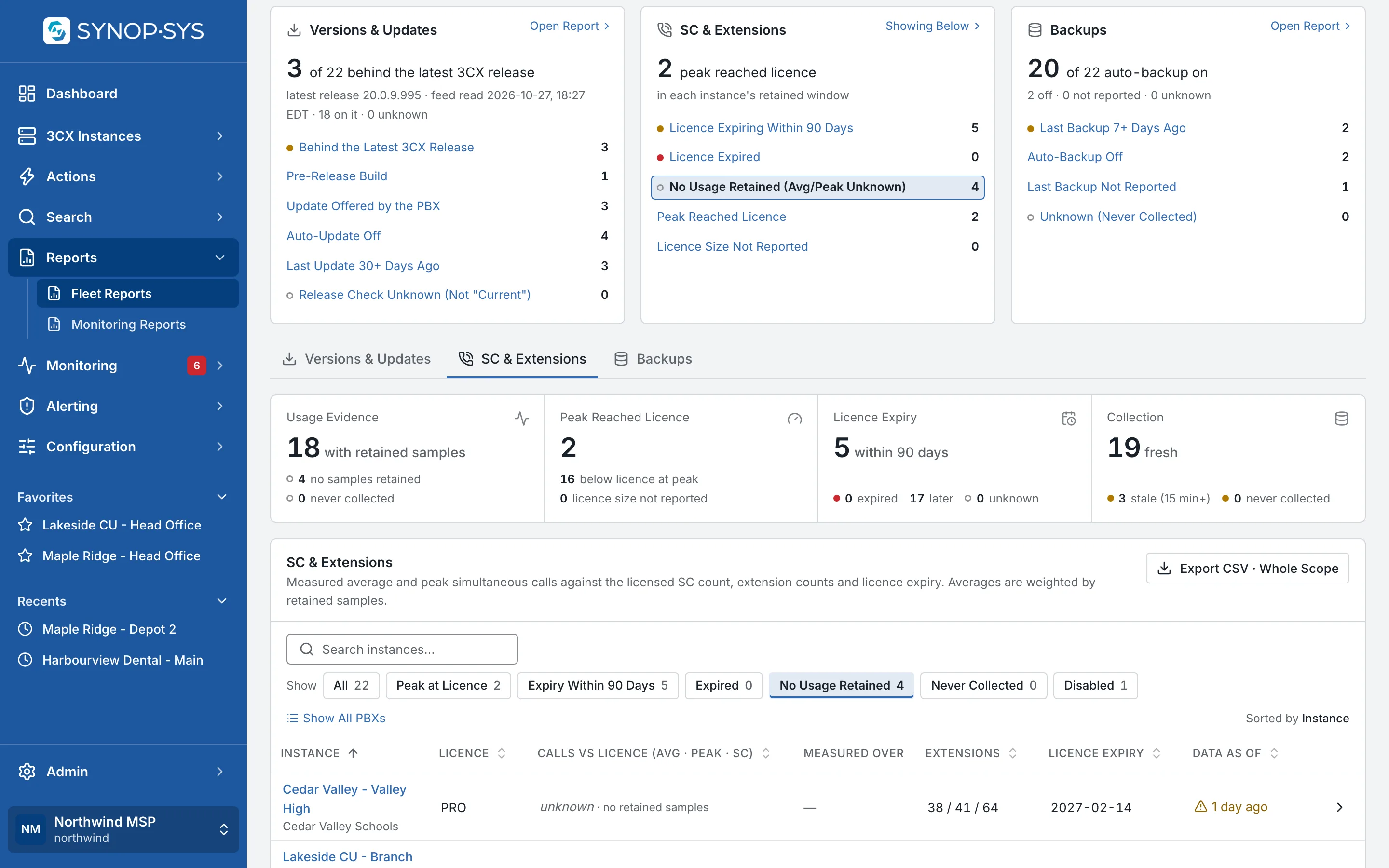
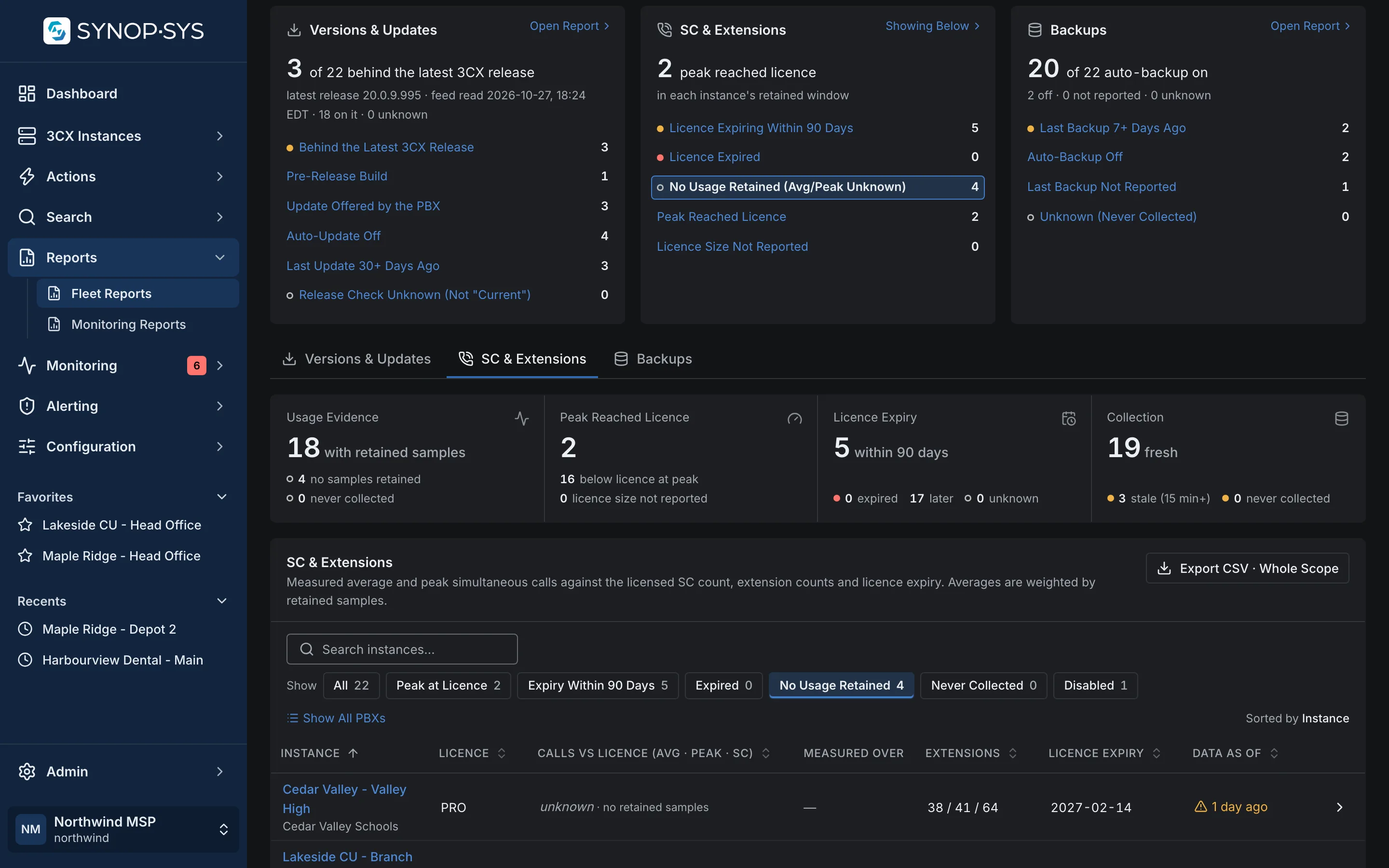
Fleet Reports across every site: findings per report, with No Usage Retained opened on the PBXs whose figures read unknown. Fleet Reports across every site: findings per report, with No Usage Retained opened on the PBXs whose figures read unknown.
Fleet Reports across every site: findings per report, with No Usage Retained opened on the PBXs whose figures read unknown.Open full imageOpen full image
A regional technician confined to the groups they support. A regional technician confined to the groups they support.
A regional technician confined to the groups they support.Open full imageOpen full image

Tell Us About Your Sites

How many locations, who manages them today and which standards you want to hold across all of them.