Fleet search and reports

Investigate Across PBXs Without Repeating the Search

Choose the question and the systems it covers, then run the search in the background. Open the result to review findings, instance coverage and any gaps.

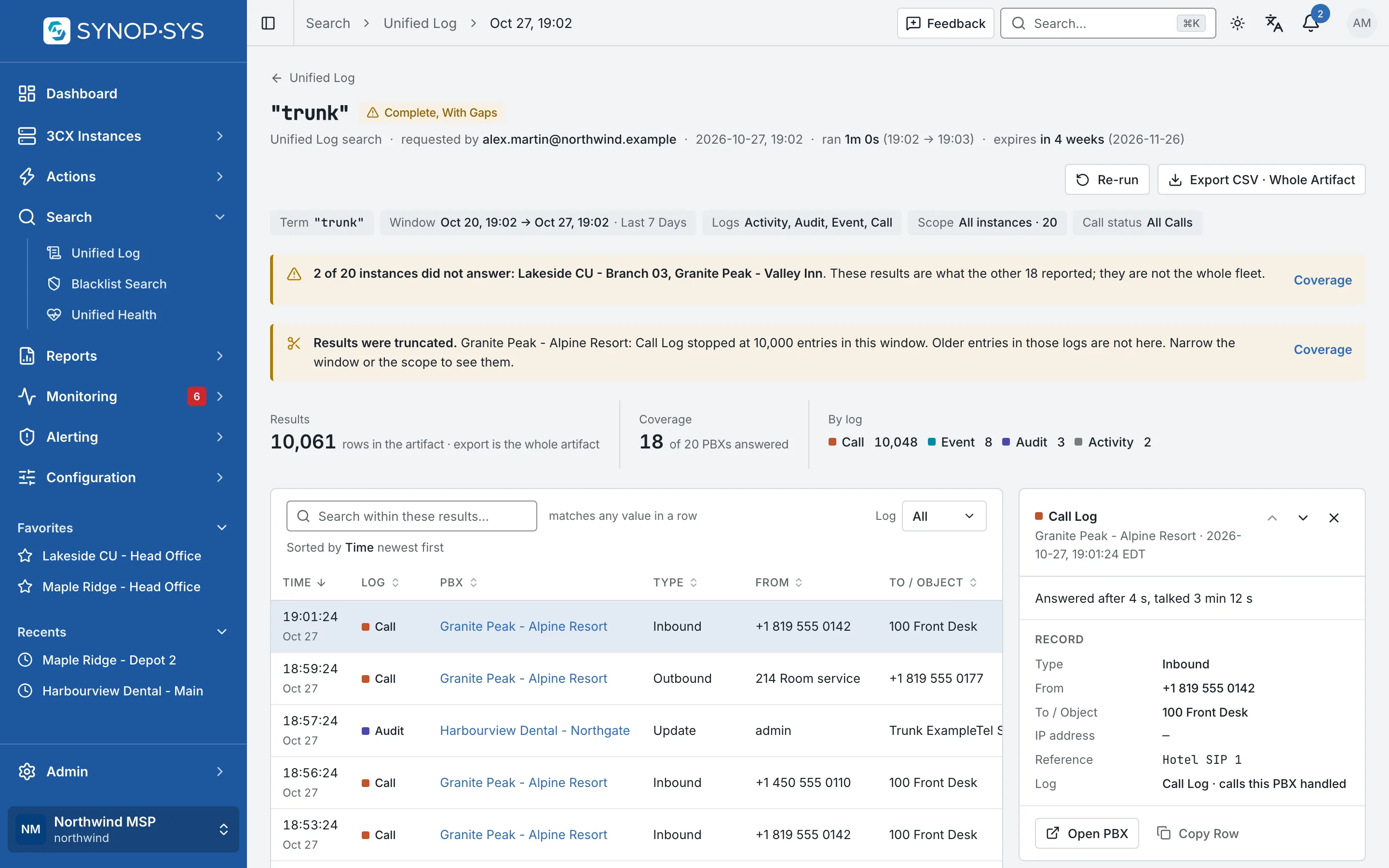
A Unified Log search for "trunk": 18 of 20 PBXs answered and one Call Log stopped at 10,000 entries; both banners say so. A Unified Log search for "trunk": 18 of 20 PBXs answered and one Call Log stopped at 10,000 entries; both banners say so.
A Unified Log search for "trunk": 18 of 20 PBXs answered and one Call Log stopped at 10,000 entries; both banners say so.Open full imageOpen full image

Three Searches, Each With Its Coverage

Unified Log and Blacklist Search each have a launcher and a result page of their own; Unified Health runs its reports from one page. Every run opens at its own address with its findings, parameters and instance coverage.

1

Unified Log

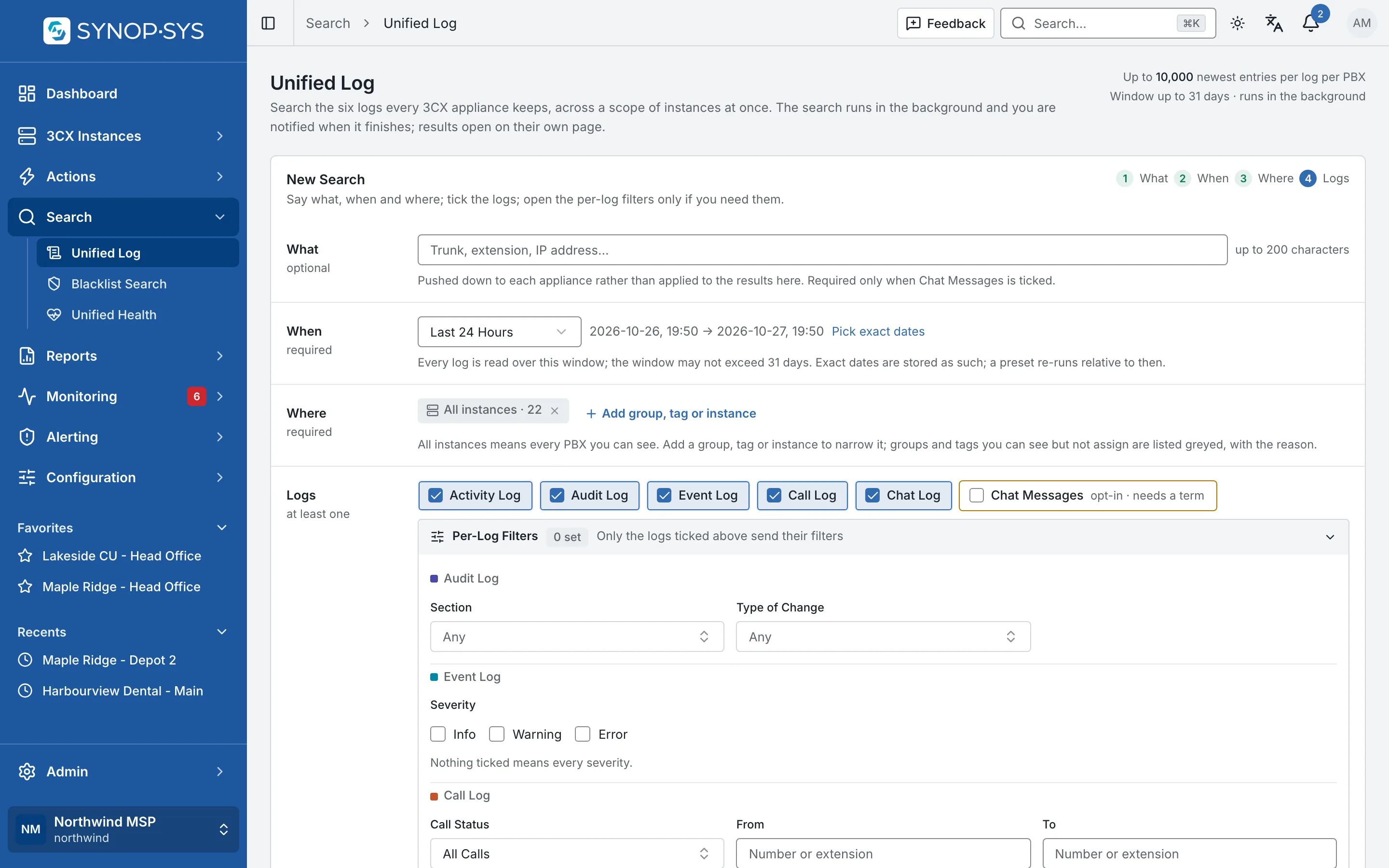
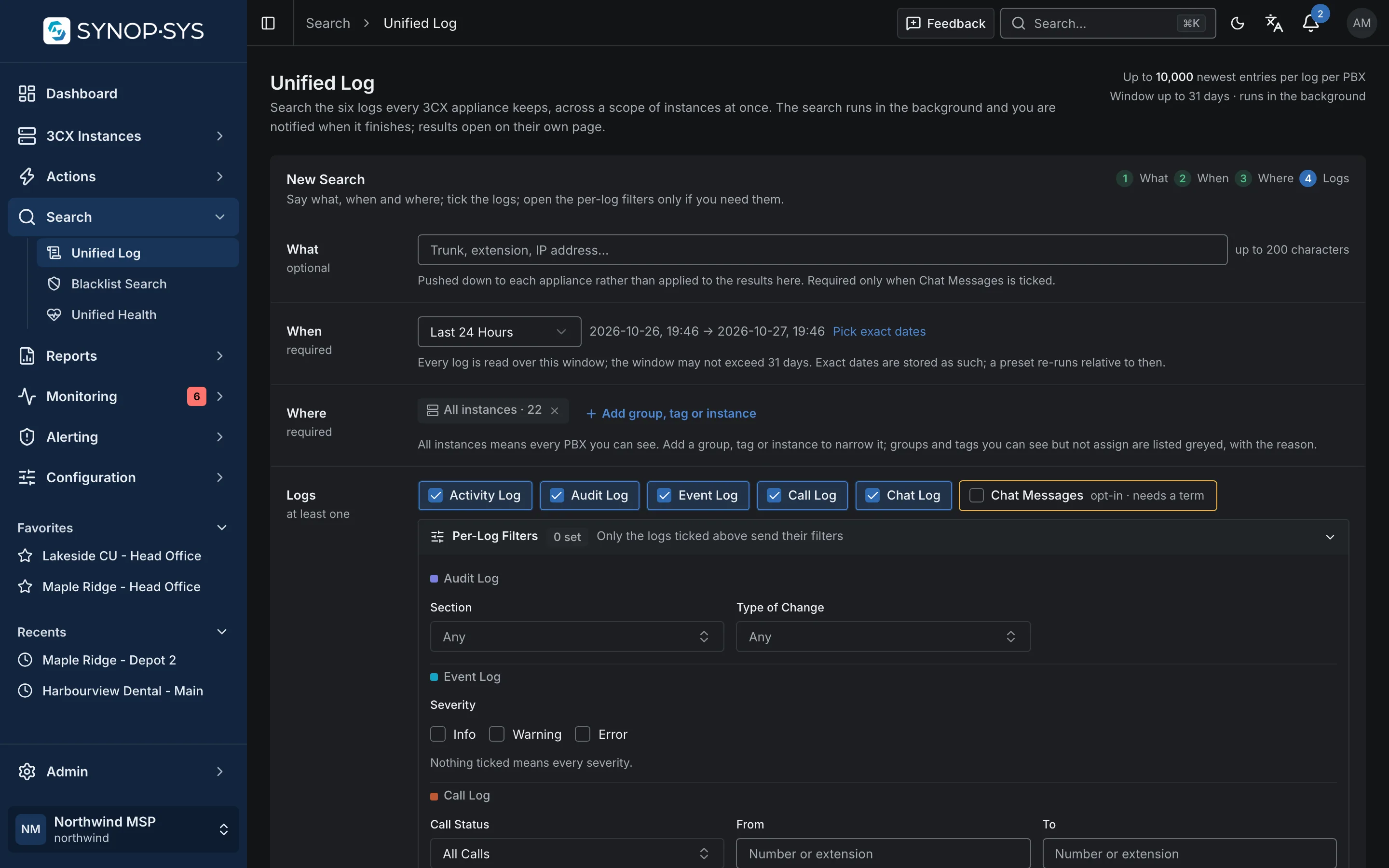
Select log sources, a time window and a target scope. Entries come back with their originating PBX, and the result can be exported.

Unified Log launcher: logs, window, filters and scope. Unified Log launcher: logs, window, filters and scope.
Unified Log launcher: logs, window, filters and scope.Open full imageOpen full image
2

Blacklist Search

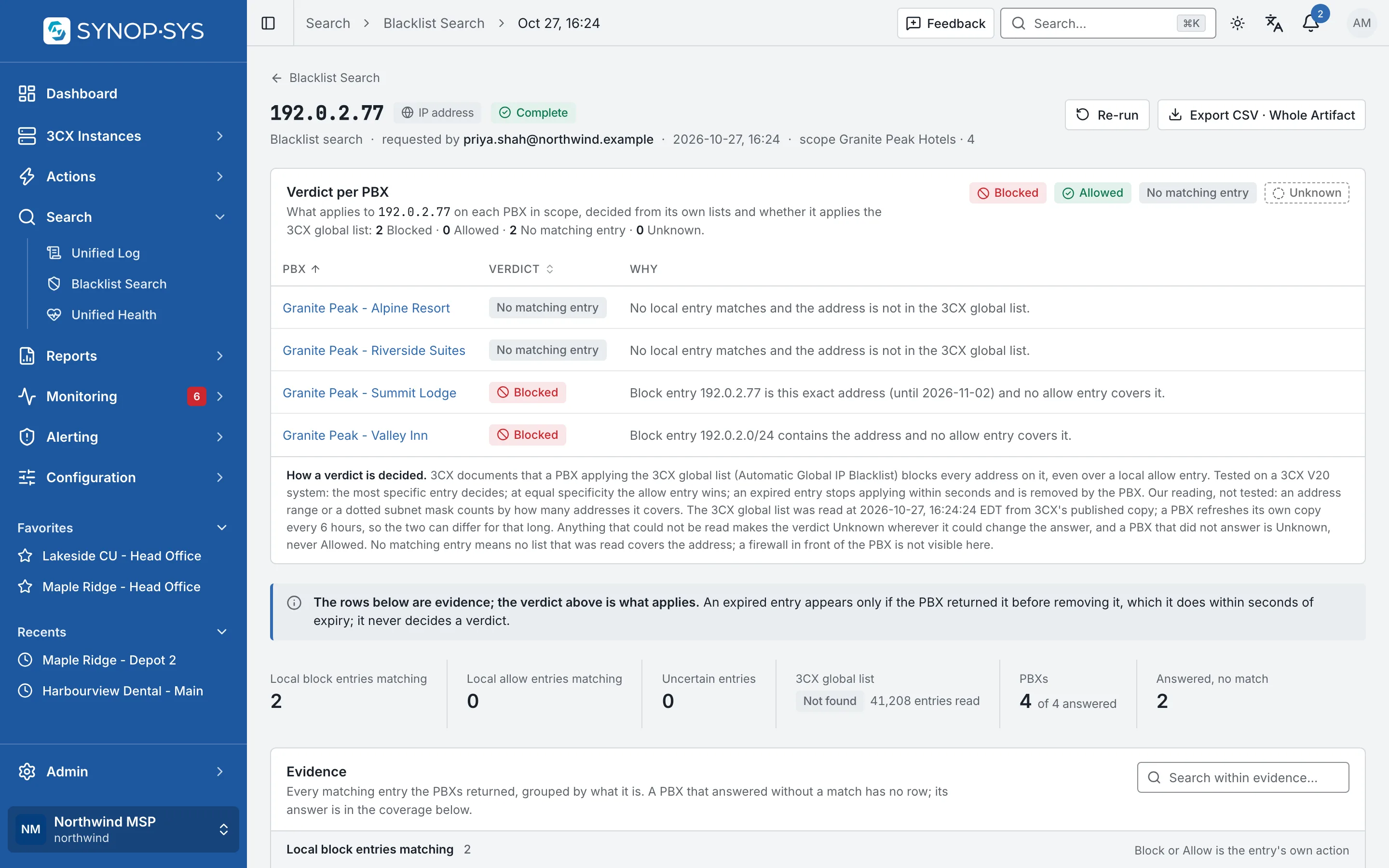
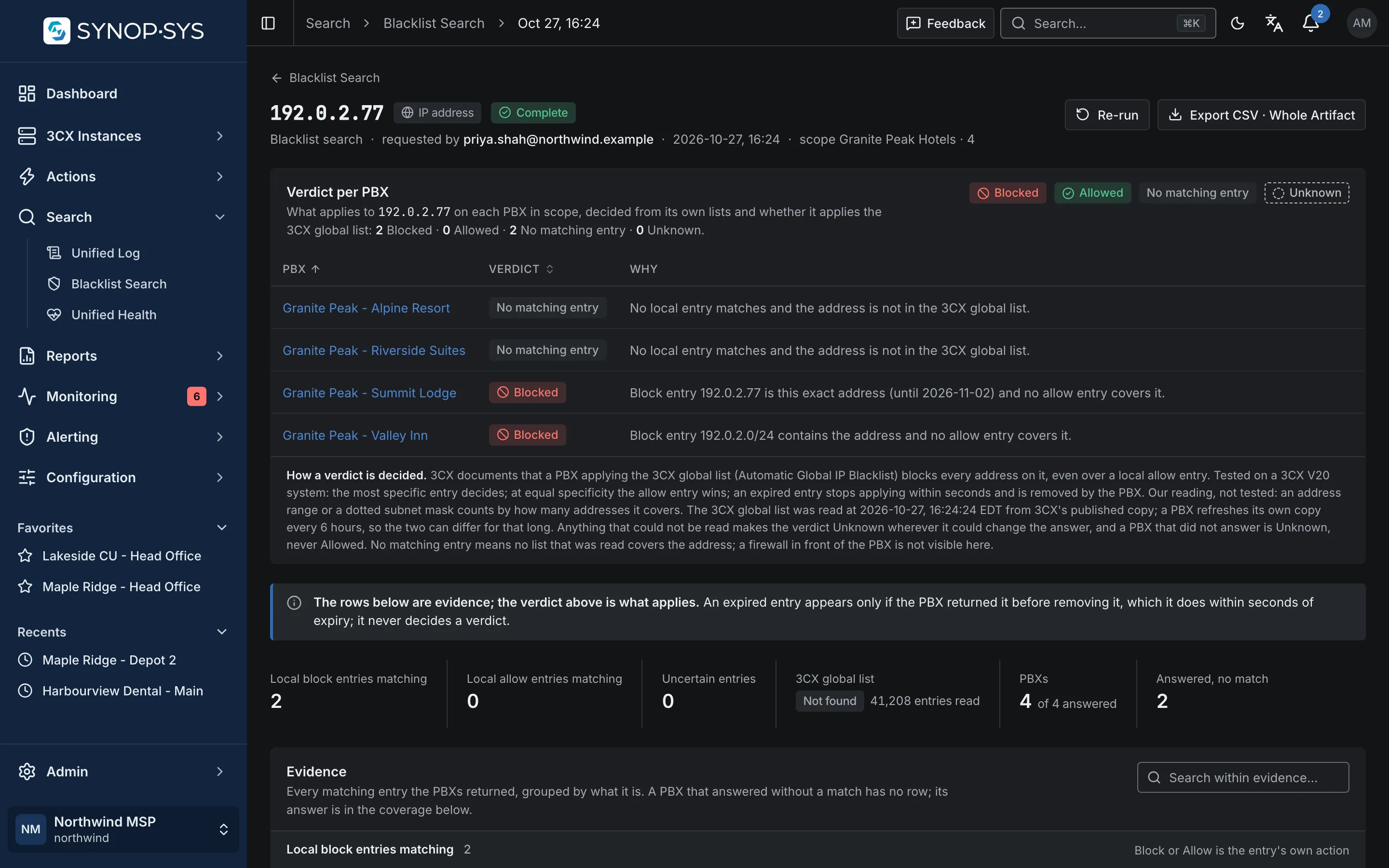
Look for an address or caller ID across the selected systems. IP searches account for containing subnets, so a match does not depend on an exact-address entry.

A lookup across four hotel PBXs: a verdict per PBX with its reason (two blocked, one by the exact address and one by a containing subnet), how a verdict is decided, then the evidence counts. A lookup across four hotel PBXs: a verdict per PBX with its reason (two blocked, one by the exact address and one by a containing subnet), how a verdict is decided, then the evidence counts.
A lookup across four hotel PBXs: a verdict per PBX with its reason (two blocked, one by the exact address and one by a containing subnet), how a verdict is decided, then the evidence counts.Open full imageOpen full image
3

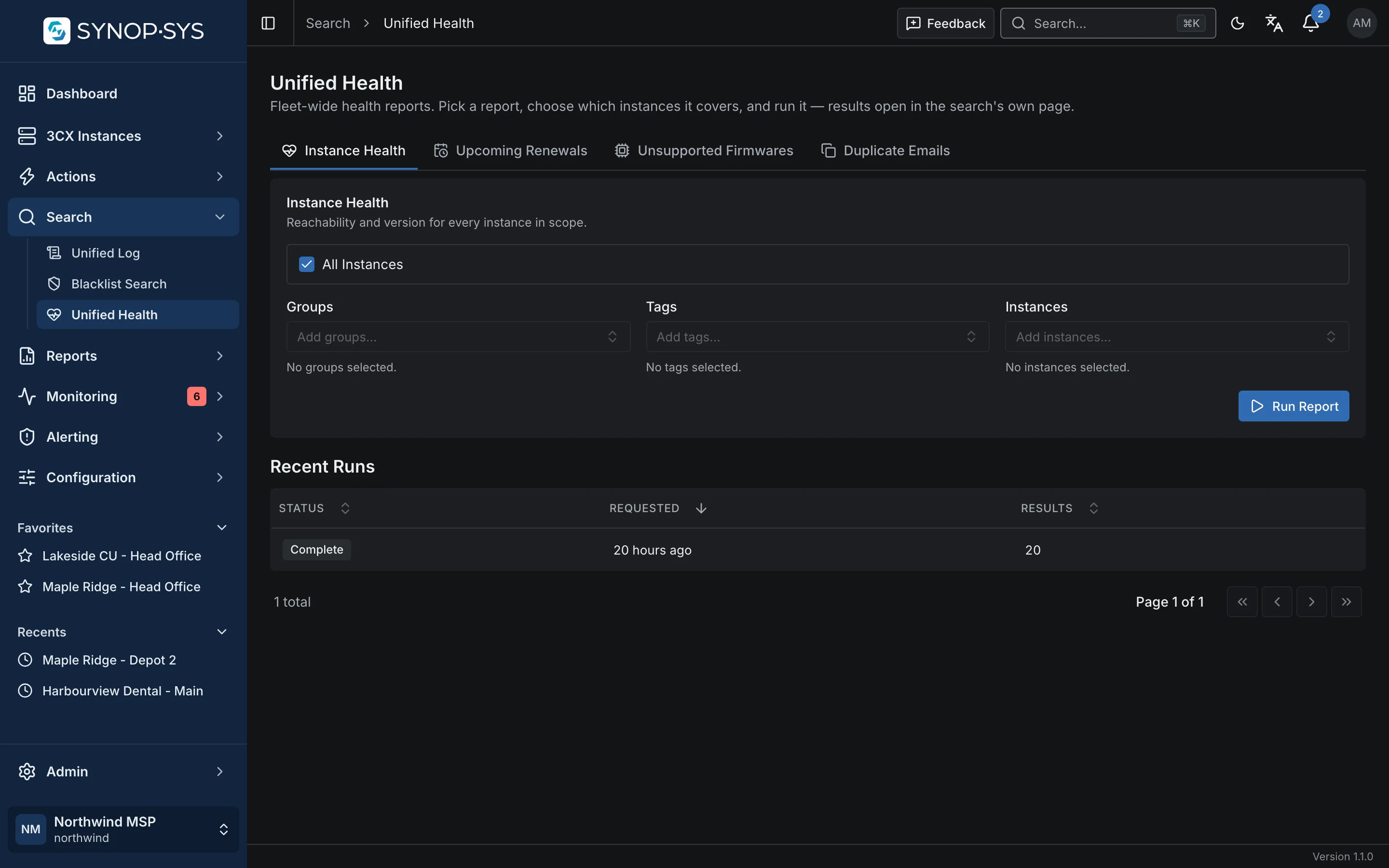
Unified Health

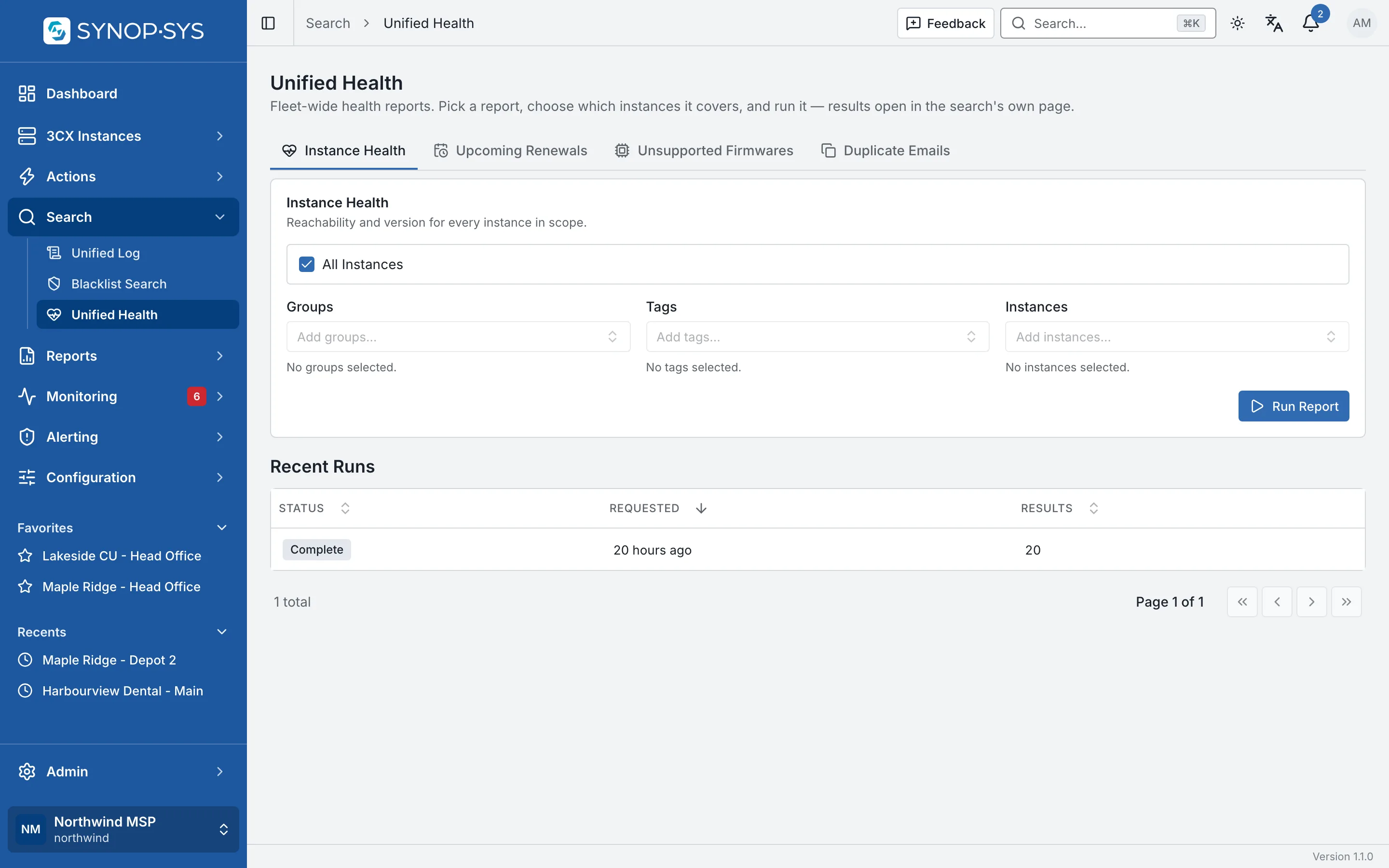
Instance Health, Unsupported Firmwares, Duplicate Emails and Upcoming Renewals. Choose the scope and open the completed search.

Unified Health: report tabs, scope and recent runs. Unified Health: report tabs, scope and recent runs.
Unified Health: report tabs, scope and recent runs.Open full imageOpen full image

Coverage

Keep Coverage Beside the Findings

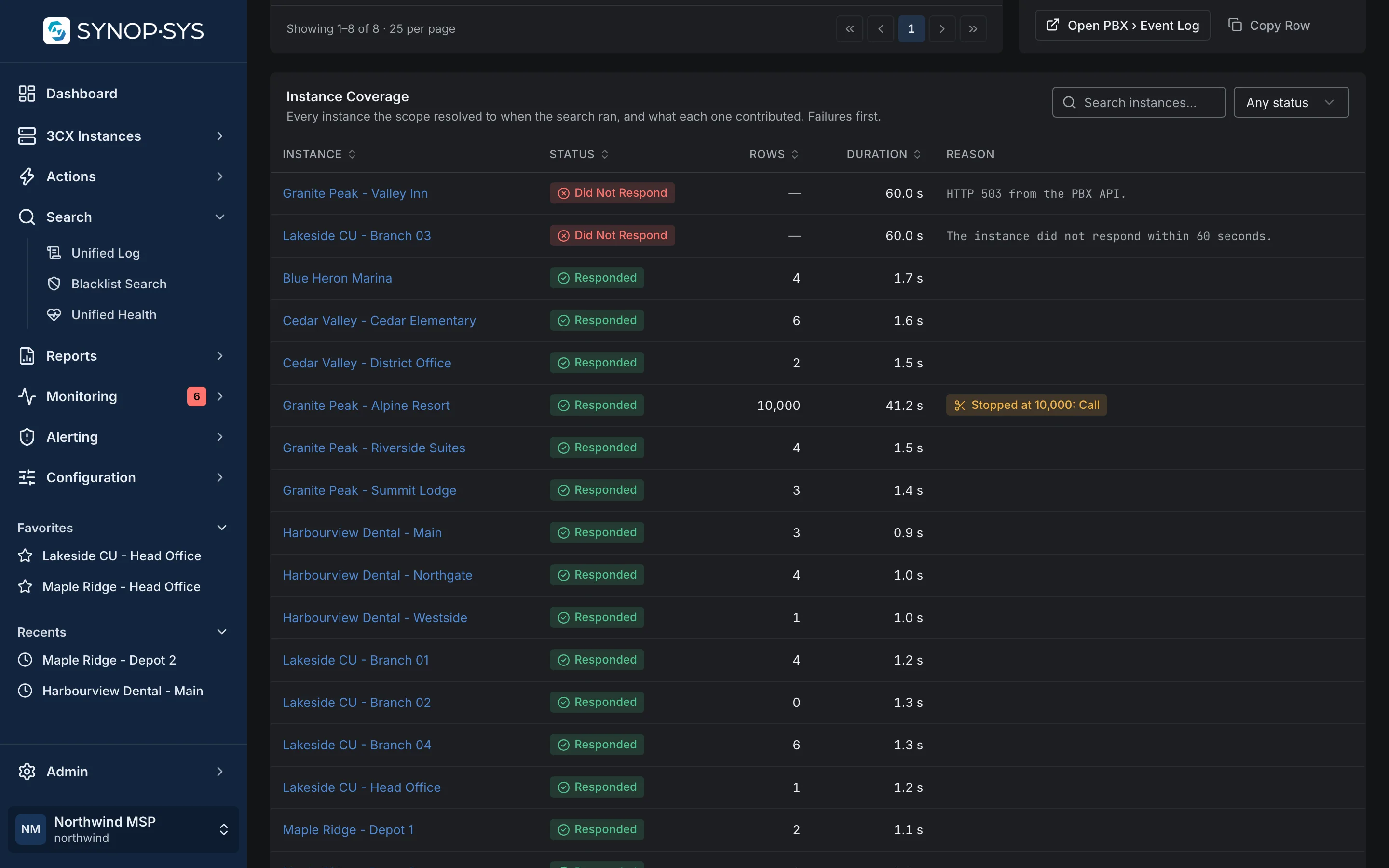
A search with unanswered instances is an incomplete picture of the fleet. The result identifies which instances responded, which did not and whether results were truncated.

  • Instance Coverage lists every instance the scope resolved to
  • A PBX that did not answer is shown with its reason, never folded into the rows
  • Results expire after a retention window; export what you need to keep
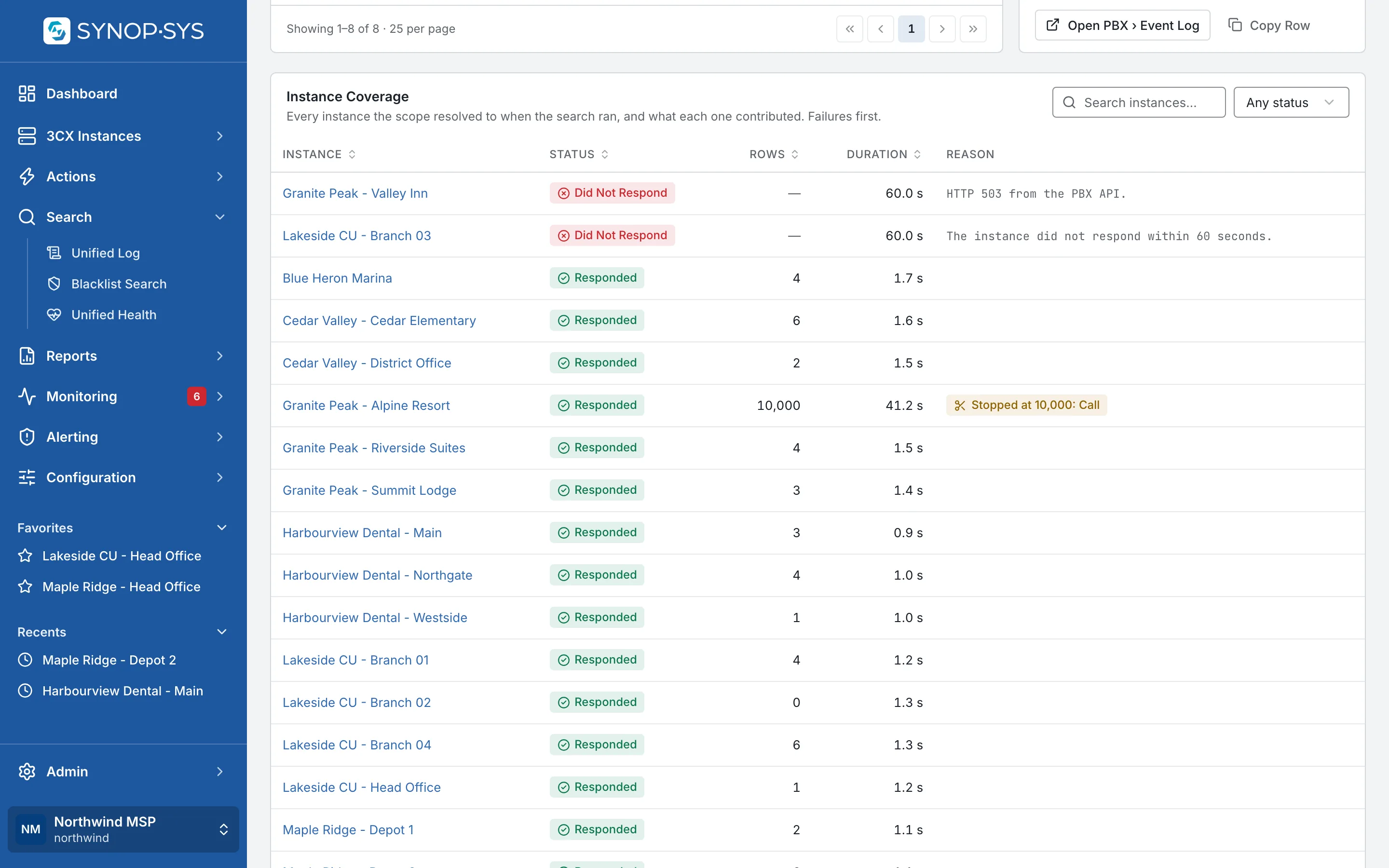
Instance Coverage: the two PBXs that did not respond, with the reason for each, and the one whose Call Log stopped at 10,000. Instance Coverage: the two PBXs that did not respond, with the reason for each, and the one whose Call Log stopped at 10,000.
Instance Coverage: the two PBXs that did not respond, with the reason for each, and the one whose Call Log stopped at 10,000.Open full imageOpen full image
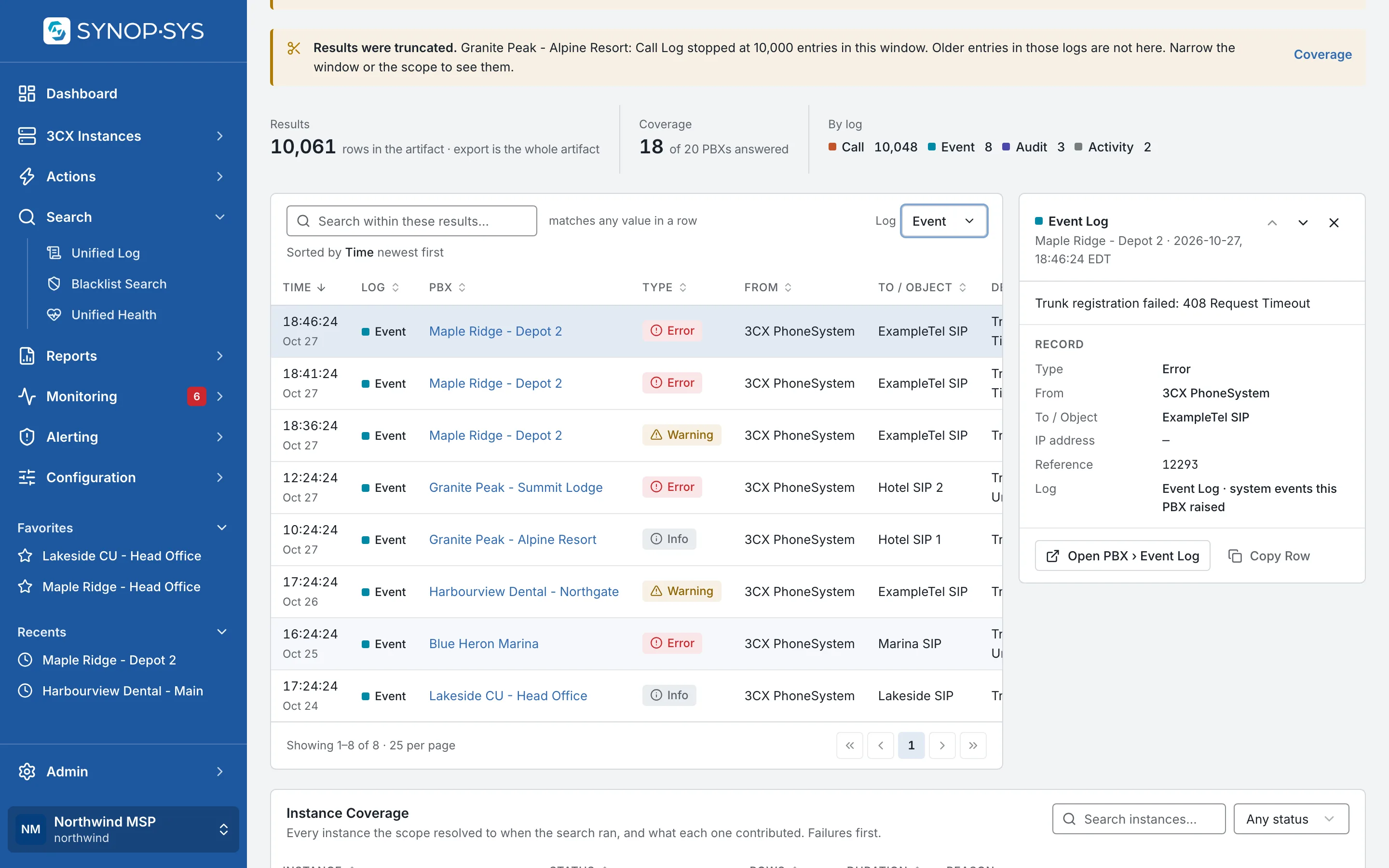
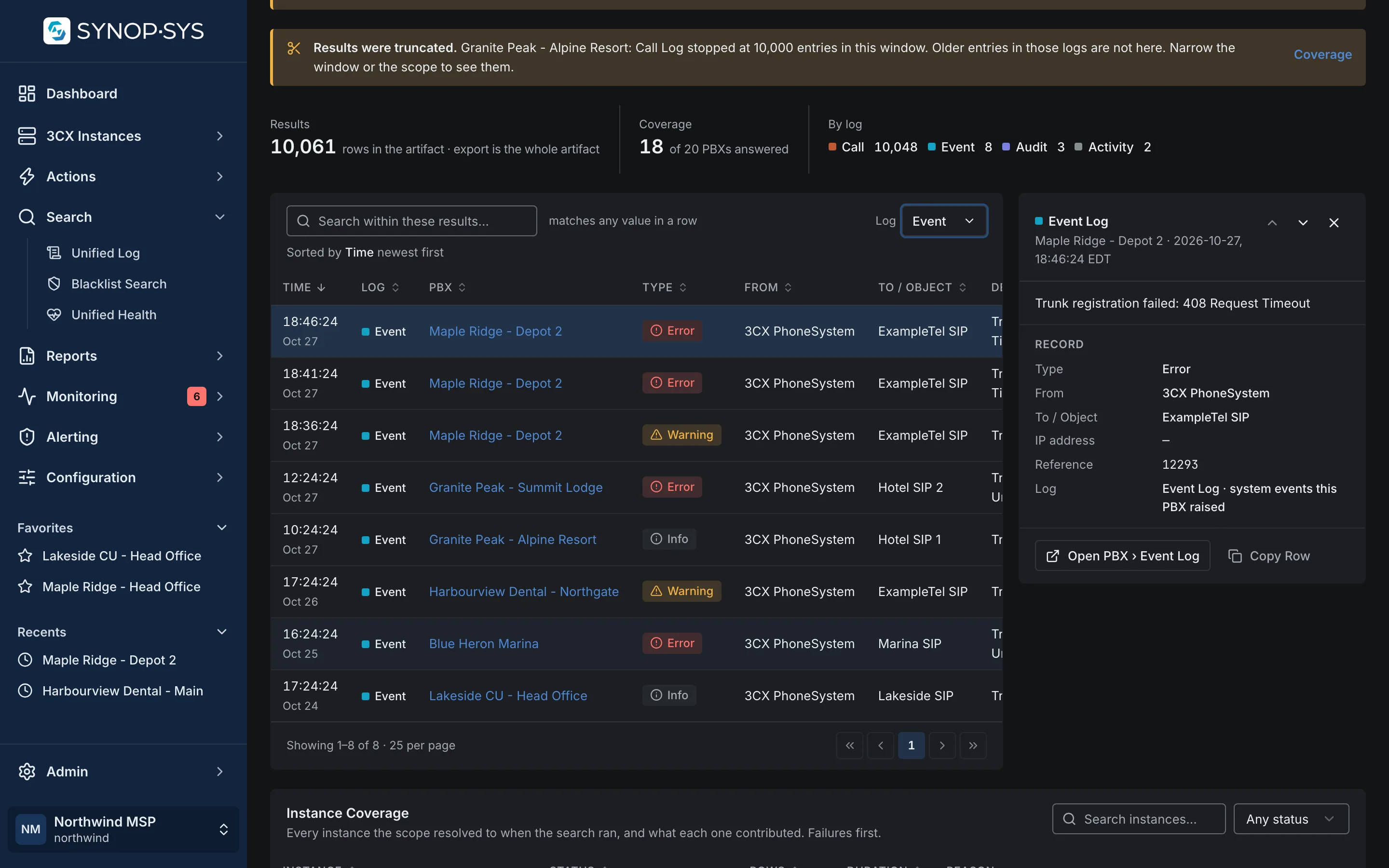
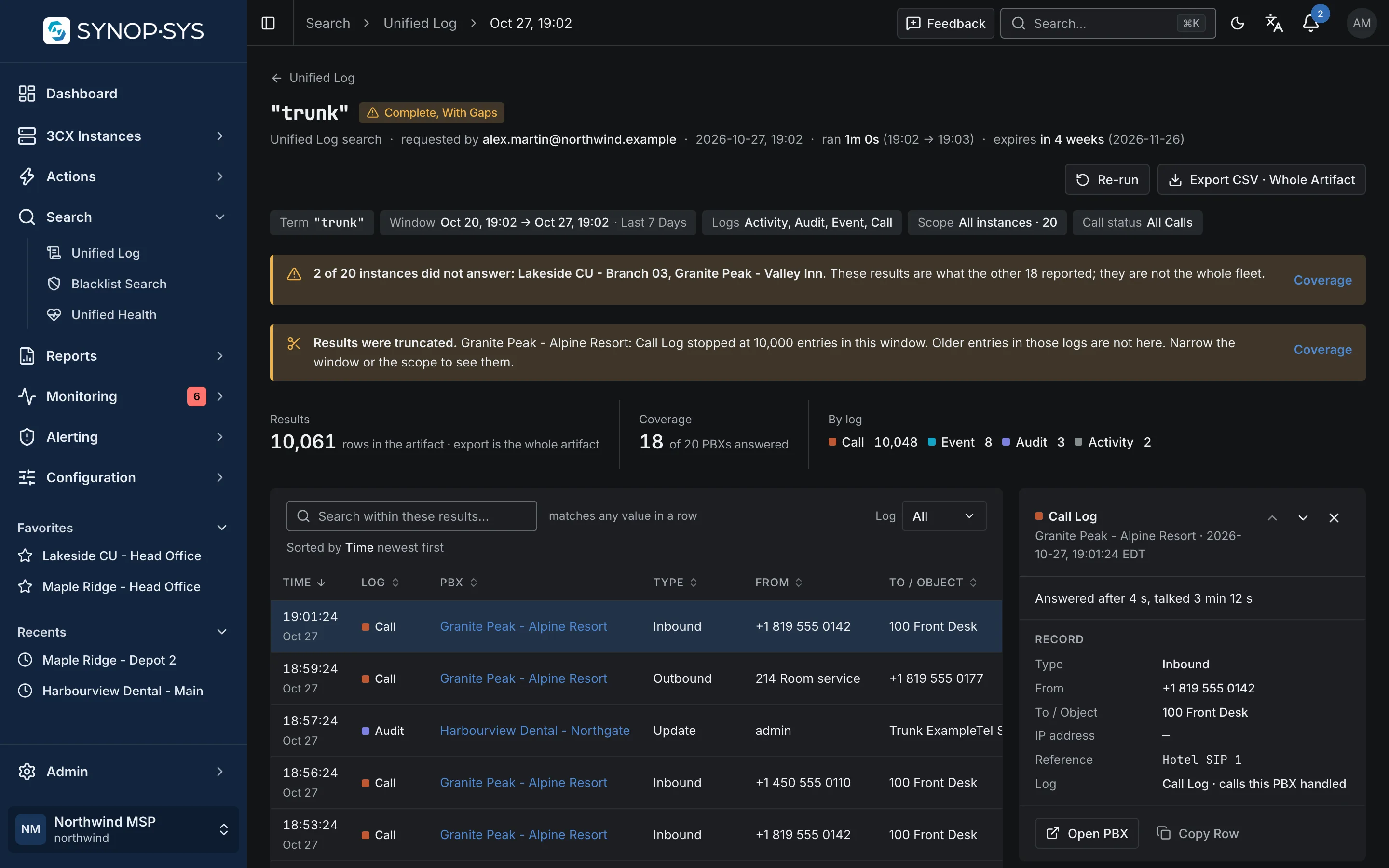
The Log filter set to Event Log: the trunk registration events the responding PBXs returned. The Log filter set to Event Log: the trunk registration events the responding PBXs returned.
The Log filter set to Event Log: the trunk registration events the responding PBXs returned.Open full imageOpen full image

Fleet reports

Read Fleet Reports With Their Context

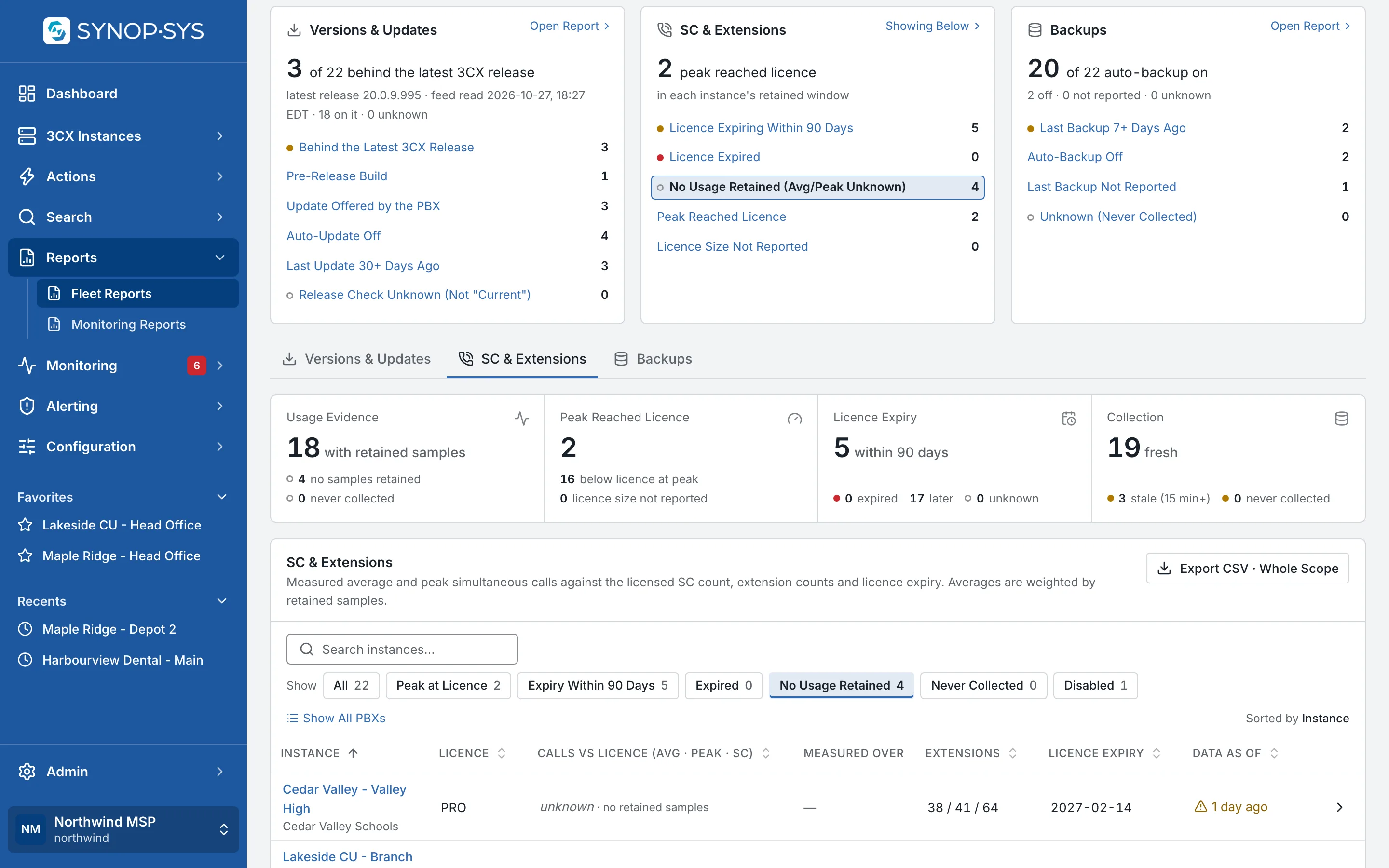
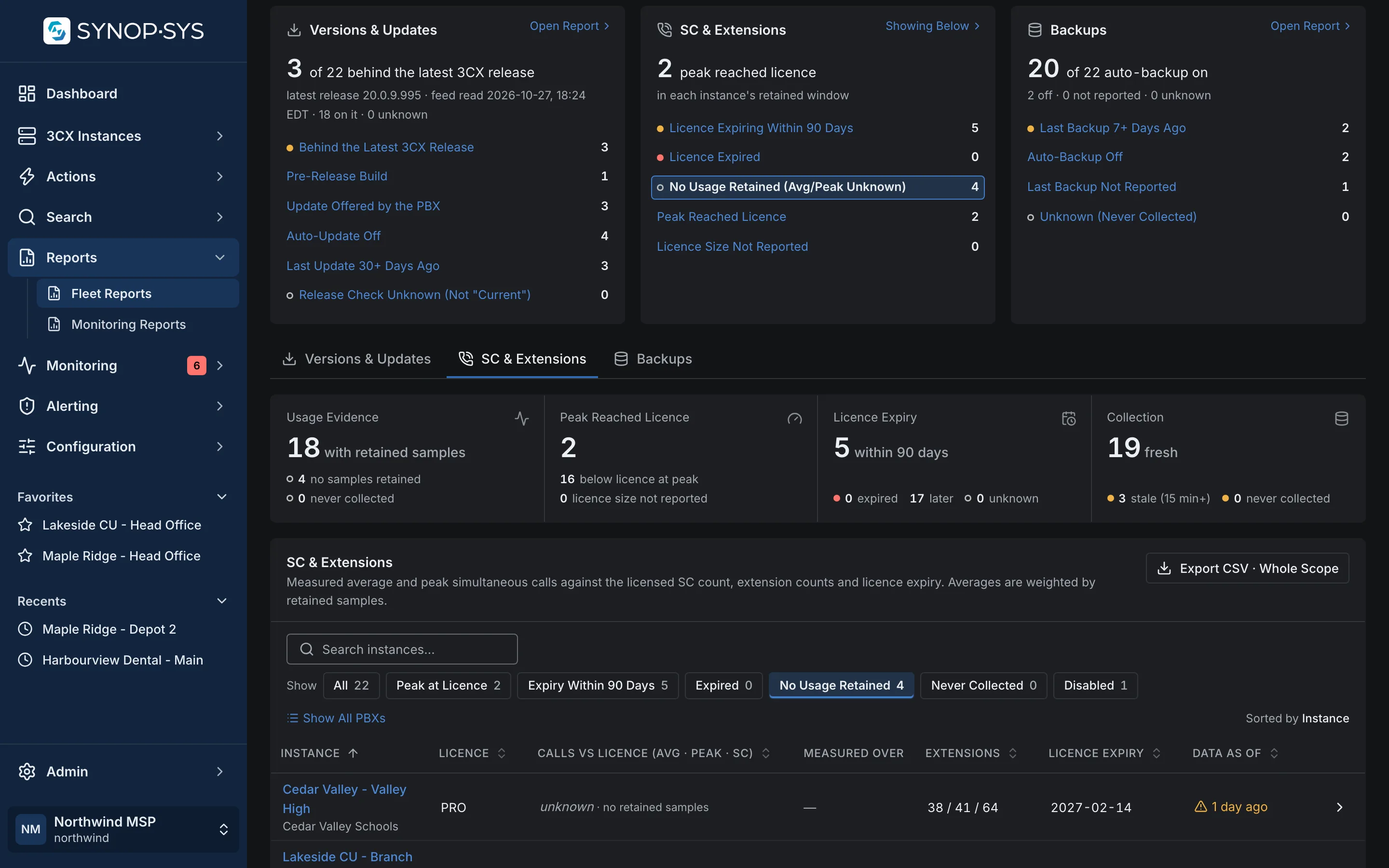
Compare versions and update settings, backup observations, and simultaneous-call and extension capacity. Collection timestamps and unknown values show where the report has evidence and where it does not.

  • Capacity: average and peak simultaneous calls against the licence
  • Versions and update settings; backup observations
  • Export to CSV from the Versions & Updates, SC & Extensions and Backups tabs

See monitoring reports

Fleet Reports: findings per report on top; the opened one scopes the capacity table to the PBXs whose usage reads unknown rather than zero. Fleet Reports: findings per report on top; the opened one scopes the capacity table to the PBXs whose usage reads unknown rather than zero.
Fleet Reports: findings per report on top; the opened one scopes the capacity table to the PBXs whose usage reads unknown rather than zero.Open full imageOpen full image
There is no generic search list page; each kind has its launcher and every result opens at its own address. Firmware and duplicate-email reports moved from Reports to Unified Health.

What Do You Look Up Across the Fleet?

A trunk name, a blocked address, a licence expiry: tell us and we will show the search that answers it.